Photomonth 2009

Photomonth 2009 opens officially later this week on 1 October with a preview of Childhood from Paul Trevor‘s East Ender Archive at the Museum of Childhood (part of the V&A)  just a few yards up the road from Bethnal Green tube, as well as the launch of the photomonth youth photography award.

Photomonth is the UK’s largest photography festival, with over 150 exhibitions and events in 85 venues in East London, which is perhaps why it lasts two months – until the end of November.  It actually spread out rather more, as some of the shows included – such as the Amnesty’s exhibition of the winning entries by Eugene Richards, Jim Goldberg and Lefteris Pitarakis shortlisted for the 2009 Amnesty International Media Awards opened at The Human Rights Action Centre, 17-25 New Inn Yard, London, EC2A 3EA on 20 Oct and continues until 5 Nov 2009 – another show surely not to be missed.

Photomonth is a very inclusive show, with a very wide range of both genres and experience, aiming to show the diversity of contemporary photography. As well as exhibitions, here are also various events including a photofair in Spitalfields Market, an open show, portfolio reviews, a photomonth lecture, talks, debates, workshops and seminars. Details of everything on the photomonth web site.

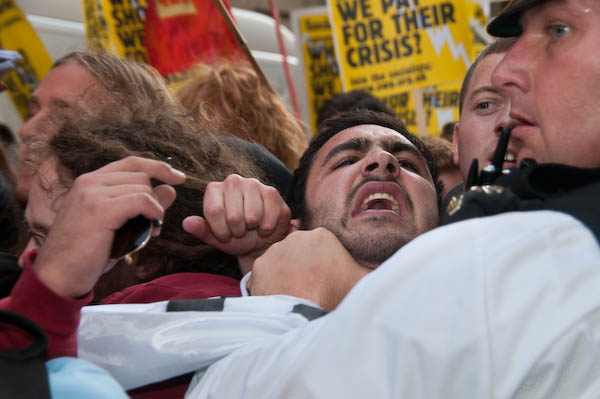
The front page of the site also has a grid of images which can be viewed larger as a slide show. Clicking on any of the pictures loads a larger version (in a few cases too large) and moving your mouse close to the top right or left causes ‘Next’ and ‘Previous’ tabs to appear. It gives some idea of the range of work on show in the festival, with the oldest image by “William Henry” being a W H F Talbot calotype from the first years of our medium. Among other photographers who are included are Martin Parr, Yousuf Karsh and several other well known names I leave you to discover. And then there’s this picture:

© 2008 Peter Marshall
March on the City © 2008, Peter Marshall

And of course, Taken in London, with work by myself and Paul Baldesare, part of photomonth 2009 opens on Saturday 3 Oct at the Shoreditch Gallery in The Juggler in Hoxton Market.  You’re invited to the private view on October 8th.

Stone Hole

Photofusion, Brixton: 25 Sept – 5 Nov 2009

Stone Hole is a new collaborative exhibition of large digital photographs by Crispin Hughes and a time-lapse film by Susi Arnott, made in tidal sea-caves along the shoreline of North Cornwall. 

© 2009 Peter Marshall
Crispin and Susi at the opening

Crispin and me go back a long way, to a ‘Men’s Group’ he ran back in the Webbs Road days of the Photo-Coop, founded in 1984, and a short walk from Clapham Junction station. I’d forgotten until tonight that photo publisher Chris Boot, also at the opening, was also a member; it was a very long time ago.

© 2009 Peter Marshall

The Photo-Coop moved to more extensive premises in Brixton and became Photofusion, but it was a longer and more complex journey for me, and although I’ve kept in touch – and still contribute pictures to the Picture Library there, run by Liz Somerville – otherwise it perhaps became more peripheral to my own view of photography.

© 2009 Peter Marshall
Hi Liz!

But it was good to go back there yet again tonight and there were certainly a sprinkling of people I knew from the old days as well as some newer friends.

© 2009 Peter Marshall

Crispin’s previous show, ‘Unquiet Thames’ at the Museum of London in Docklands in 2006 was a stunning panoramic exploration of enclosed spaces under bridges, piers and tunnels on the Thames in London, and its large prints and soundtrack created an impressive environment in the gallery space.

Stone Hole develops from this, working in sea caves in North Cornwall with Susi Arnott. The metaphor that underlies this work is that of the eye, with several images that strongly suggest biological structures and diagrams of the eye, and the cave mouth as an aperture admitting light.

© 2009 Peter Marshall

Reading the notes when I arrive home I found that Hughes’s work was carried out at a time of various medical crises, including at one point the loss of sight in one eye.

© 2009 Peter Marshall

Susi Arnott‘s film using time-lapse images explores the dangers of the rising tide in these sea-caves to a degree that made me feel uncomfortable. If you too have had the experience of thinking that you are about to drown and looking up through the greenish blur of water you may share this. But it is an interesting work and complements the still images by Hughes.

© 2009 Peter Marshall

Though I’m seldom a fan of videos in art shows this does add to the the overall effect, though it was hard to appreciate the sound track (which I think is a vital element) above the hubbub  of the opening.

Also in the gallery display is some detailed information about the geology of the area that led to the incredible caves and rock formations, which I soon gave up trying to understand. If you have a particular interest in such matters there is an exhibition talk with geologist Dr Jon King on 10 Oct, while two other events involve a clinical psychologist and an architect.

The splendid large prints were made at Photofusion, are are certainly an excellent advert for the services of Richard their printer.

One rather nice small touch at the opening were the several dishes of small pebbles – just like many of those in the photographs – around the gallery. Except that unlike those in the image, much to my surprise, these turned out to be chocolate.

City Panoramic

I’m not quite sure what happened to me in March 2008, because I lost a web site. It was only quite a small site, with a dozen or so pictures, but I wrote it and then just forgot about it. Completely.

This morning by chance looking for another set of files I came across the folder it was in, though from the name it wasn’t obvious, but curiosity made me take a quick look and see a list of files mainly starting with 92-city, which meant nothing to me, so I double-clicked on the default.html file with them and got a surprise.

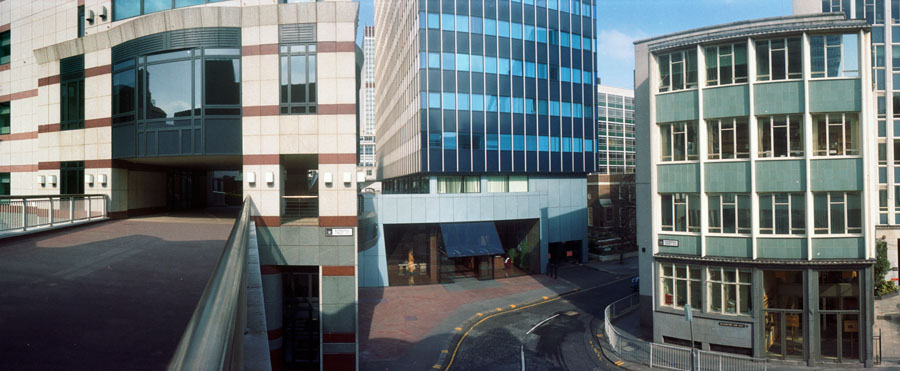
© 1992, Peter Marshall

It says on the site:

These pictures were taken when I was a part of London Documentary Photographers in 1992 and were a part of a documentary project on the City of London. The ‘square mile‘ is one of the major financial centres of the world. These images were first shown at the Museum of London in 1992.

I think I was probably intending to put together a larger site including many more of my panoramic images, but since that’s unlikely to happen in the near future I decided to link them in to one of my existing sites, The Buildings of London, which is long overdue for a makeover. But you can jump directly to them here, though you may need to make your browser window wider; the images on the site are exactly twice the width of the one in this blog at 900 pixels and the site was written to fit a page around a thousand pixels or wider.

All of these images were taken on a panoramic camera with a lens that rotates through around 120 degrees during the exposure. At the time I was using a Japanese Widelux camera, but later I preferred the much cheaper Ukranian Horizon which has a considerably better viewfinder.

Although the Widelux does have a viewfinder, the most accurate indication of what you are going to take is provided by a couple of arrows on the top plate. For best results, at least with architectural subjects, you needed a tripod and a good spirit level, while the Horizon was easily usable hand-held and had a level visible in the viewfinder.

There are several different models of Horizon, but all except the oldest, which had a metal body share a similar rounded plastic body. It would be great to have a digital camera that worked in the same way, but I think very unlikely that making one would ever be financially viable. So if you want to do this kind of photography the Horizon is still a good choice, despite being clockwork and using film.

My second Horizon came direct from the Ukraine in a brown-paper parcel and was cheap -under half the price the similarly specified Horizon Perfekt sells for at Lomography. But their price does include “a 2-year warranty against manufacturer defects, a premium case, and a gorgeous panoramic book.”

You can of course take panoramas using digital cameras and image stitching, but the results have a different perspective and it can be tricky if part of your subject is moving. Another approach that gives something rather more similar to the swing-lens result is to use a semi-fisheye lens and then remap the image using a Photoshop filter such as Image Trend‘s Fisheye Hemi. You can also get some different but also interesting results with remapping using the free Panorama Tools.

You can see an interesting discussion by the author of Panorama Tools, Helmut Dersch, comparing rectilinear, fisheye and swing lens results.

Lightroom 2.5

There don’t appear to be any great differences in the latest release of Lightroom,  available for download as a free upgrade for existing users. And although I took the usual precaution of backing up my Lightroom catalogue (which takes ages) the actual install was pretty fast and trouble-free and so far I’ve experienced no problems.

A few things do seem to be working a little more smoothly and I suspect there have been a number of minor bug-fixes and some tidying up of code. And of course there will be a  number of people with shiny new cameras who will be pleased that these are now supported by the new version.

I’ve finally got round to buying a book on Lightroom, and Seth Resnick’s “The Photoshop Lightroom Workbook: Workflow not Workslow in Lightroom 2” seems to be very good, unlike some other volumes I’ve seen. Lots of good common sense suggestions about using the software and the settings to choose, most of which are similar to what I currently do, but even though I’ve not yet really had time to sit down and make use of it I’ve already picked up a few good hints.

It’s very good for example at reminding you of the useful keyboard hints, that are easy to forget. So in the Develop module, hitting G takes you back to the Library module in Grid mode, and Shift/Tab gets rid of the clutter (or F toggles full-screen.)

I’m sure there will be some things I prefer to do my own way, but this seems really to be a real practical photographers guide while some of the others are definitely more for geeks who like fiddling with software. At £15 (-1p) from Amazon I think it’s well worth it – and I just need the time to go into it in more depth. And I really must get my keywords organised better as it suggests.

It’s only slight fault is that it assumes you have a Mac and although it often gives instructions for PC (and where necessary notes Vista and XP differences)  you do sometimes have to do a little translation for yourself. Of course there are some photographers for whom this will be an advantage. I’ve just looked at the reader reviews on Amazon when I searched for the link above – and one does mention this, and a certain Canon bias – which so far I’ve not really noticed, but all three give it five stars and so far I’d agree.

Walking the Lea

Almost certainly the worst thing about ‘diamond geezer‘ is his totally embarrassing name. You know he can’t be a Londoner, though he does seem to love London town, and certainly has one of the most visited blogs on the city. I pop in from time to time, though I’m not entirely a fan (too many pointless lists and twaddle for my taste.)

But, like me, he has visited most of London’s boroughs and taken photographs in a series featuring one at a time – and though he’s not always the greatest of photographers some of them at least do a decent job of showing you what things and places look like.

This August was one of his  better months, as he took time off to walk the length of the River Lea, from it’s sources near Luton down to the Thames at Trinity Buoy Wharf, and giving some useful information about the route and some of the things you see on it. If you want to follow in his footsteps you’d also be wise to consult Lee Hatts who has both a great web site and a very useful book on the Lea Valley Walk with useful directions. The book is handier if you are actually going to make the journey yourself.  Diamond Geezer’s (I’ll call him DG from now on, which sounds rather better) account is even more up to date, and certainly worth reading – and it’s good of him to give my own work in the area, London’s second river,  a very nice mention.

Bow Back Rivers (C) 2001 Peter Marshall
Pudding Mill River and River Lea, 2001

If you want to walk the whole thing, its fairly easy to divide into sensible chunks between railway stations at Leagrave, Harpenden, Hatfield and Hertford, south of which there are handy stations every few miles to Canning Town. Its also pretty easy on a bike, but any of you welded to an automobile will have a slightly more difficult time.

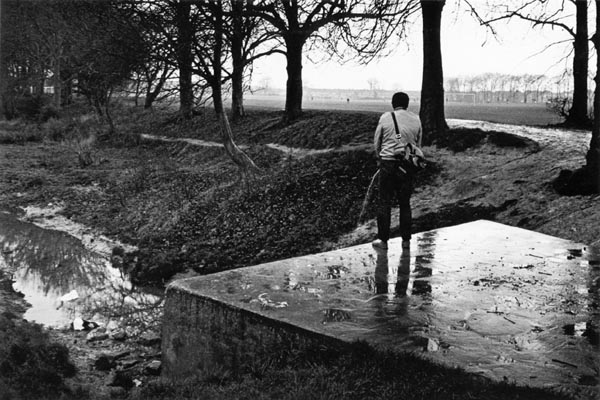
I first walked most of the route in the early 1980s, putting together an unsuccessful grant application to photograph the river and its surroundings. Although I did go back and do some more work even after I’d had my project rejected, I think it was a great shame I didn’t manage to get backing for more extensive work in the area. There are some pictures from those visits on my distinctly unfinished The Lea Valley site, and I’ve shown work from this on a few occasions.

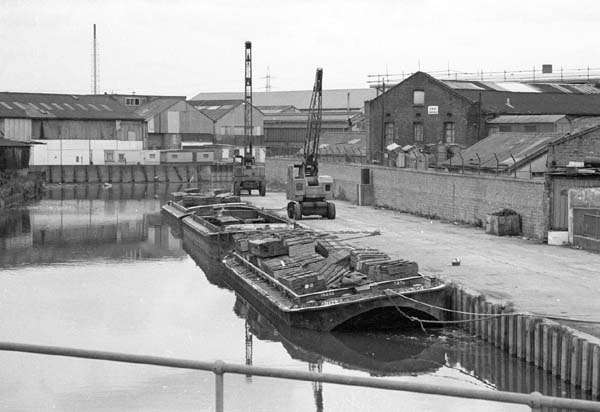
It was an interesting time for the lower Lea Valley in particular, with the traditional industries fast disappearing. I started taking pictures just a little too late, in the last month or so of commercial barge traffic on the river – and it had all but disappeared.

(C) 1983 Peter Marshall

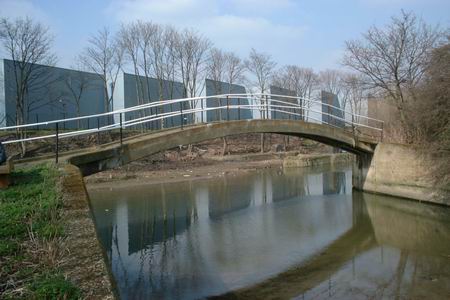
In the 1990s I returned to parts of the area, in particular Stratford Marsh and the Bow Back Rivers, a truly fascinating area and at times it seemed almost remote enough from London to be another continent. Conservation work, mainly by volunteers, cleared waterways and footpaths and made it far more accessible in the later years of the decade. Most of the work I took then, including a number of panoramas,  is only available in my files.

© 2006 Peter Marshall
City Mill River, Stratford Marsh, 2006

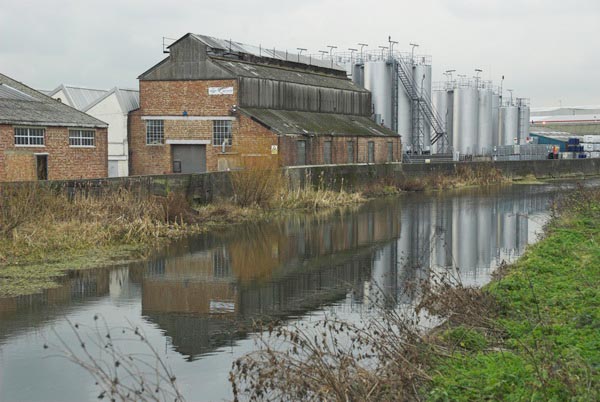
I continued to photograph along the Lea Navigation and allied waterways in the early years of this century, and the work was given a new impetus with the announcement of the London 2012 Olympic bid. Unfortunately some clever sleight of hand stole the games from under the nose of Paris (in many ways a far more suitable site) and in the last couple of years much of what I photographed has been obliterated in one of the largest transformations London has ever seen.

Source of RIver Lea (C) Peter Marshall
The source of the River Lea at Leagrave

As well as the usually quoted source at Leagrave (above), DG also goes the extra mile – or rather two – to Houghton Regis, where the stream emerges from under a sports pavillion. It isn’t clear why Houghton Brook should be regarded as a tributary of the Lea rather than the other way round.

Not Natasha – Dana Popa

Apologies for the late posting about the opening of on this show 23 July – but it does continue at Photofusion in Brixton until  18 Sept 2009, so you still have plenty of time to go and see it. I’ve been away for a week with no computer in a remote corner of Essex, and didn’t manage to complete it before I left home.

Thursday I wasn’t feeling great. I’d tweeted and put yesterday’s protest – a rather dull affair visually about something rather important – green jobs disappearing at Vestas Blades UK  – on to Indymedia and Demotix and improvised a shortish piece on this blog about some of my frustrations in particular the kind of photo-op that just isn’t photographable, but then hadn’t been able to get down to serious work, getting tied up with Googling about the Poet’s Tree, Josephine Avenue and the Effra, some fascinating stuff, ancient maps, Lord Loughborough of the junction and more, but then I get a call on my mobile and have to rush to find the trousers I was wearing yesterday on the floor in the bedroom where my phone is still hiding and it’s Paul reminding me we are meeting at Photofusion, get there early he says, six fifteen, and I think its a very good idea as I can see the show before everyone arrives as its supposed to start at six thirty, people don’t really look at the pictures at openings, but stand around talking in groups so that other people can’t see them, but more importantly he says the bar will be open and drinks are free until seven thirty, he’s bought a new (secondhand) car today and I say that’s bad, but see you there then, and I get on the train to Clapham Junction, not feeling to well, partly because I’ve eaten too much for lunch but I still eat some sandwiches on the train and then get a 35 to Brixton, I like travelling by bus, looking out the windows on London and people and it saves me buying a Travelcard which costs another three quid.

© 2009 Peter Marshall.

And its good to walk round Brixton a little soaking up the atmosphere on my way to Photofusion and I get there around six fifteen which does give me a good chance to look at the work before the gallery starts to fill up. And I’m pleased I’ve come because this is one of the better shows at Photofusion, its an important subject – trafficking of women – and treated in a distinctive and interesting manner. There is a longish text by Mark Sealy on a couple of panels in the gallery, largely similar to his essay ‘Dana Popa Beyond The Lens’ published in Foam Magazine earlier this year. To me it reads as very much kind of thing written to gain grants that only connects peripherally with the images and ideas behind the work. But then I haven’t done a course on writing stuff like that, which seems to be what some photographic courses spend most time teaching their students.

© 2009 Peter Marshall.

In ‘Not Natasha ‘ (the show gets its name from the generic used for female sex workers from Eastern Europe – which they mostly resent) Dana Popa appears to illustrate and dramatise the story from three different viewpoints; her images about her view of the women themselves, her pictures of their families – both parents and children, and, another section which is more about the women’s own perceptions and feelings.

© 2009 Peter Marshall.

Although I occasionally found myself wishing that small details had been different, I think that overall this is powerful work on an important subject and is certainly worth a trip to see, although it may possibly work better in the more intimate setting of a book than on a gallery wall (and there is a small book available.)  But Dana is certainly also a colourist, which is no bad thing.

Mark Sealy writes “Her use of colour is a deliberate turn away from the gritty and distant realism associated with black-and-white documentary photography.” This statement might have been worth making thirty or ten or perhaps even five years ago, but the situation has changed dramatically and I wonder where he has been. Documentary photographers have certainly been working increasingly in colour since the 1980s and with the almost universal switch to digital it is surely now the norm. Although some photographers still work at least occasionally in black and white to great effect, most of what I see now in black and white is simply an affectation among a few who think it somehow makes their work more authentic but have usually failed to master the different syntax of monochrome. You have now to have a reason to work in black and white – and also unless you grew up with film you need to study how to do it. Learning to convert your images in camera or Photoshop isn’t enough. The fact that Popa uses colour as most documentary photographers do today hardly merits a mention, though she does use it well.

© 2009 Peter Marshall.

Popa’s work was largely taken in Moldova, formerly part of the Soviet Union and now the poorest country in Europe, where around a quarter of the population live on less than 2 US dollars a day. She worked there in 2006 with the International Organization for Migration Shelters and Winlock International and was given access to 17 women who had been trafficked. In 2008 she got a commission from Autograph ABP to return to Moldova and photograph “the families, the homes and in some cases the children who have been left behind.”

Reeturning to the UK she was also able to photograph some of the Soho brothels where trafficked women from Moldova work. Trafficking is currently being used as a reason for reforming UK law on prostitution to criminalise paying for sex. It’s a move which is opposed by the English Collective of Prostitutes who say that it will drive the sex trade underground, making it more dangerous for sex workers, and was one of the reasons for their recent Masked Parade in Soho which I photographed a few days before going to see this show.

© 2009 Peter Marshall.

Dana was one of the five winners of the Jerwood Photography Awards 2007 for her work on trafficked women in Moldova in 2006. You can see some of  her other work on Gallery4Arts.

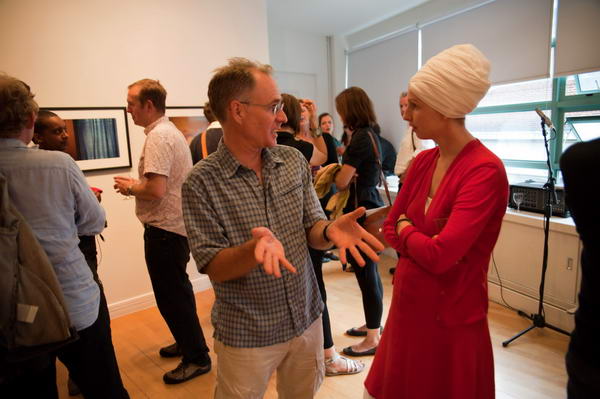
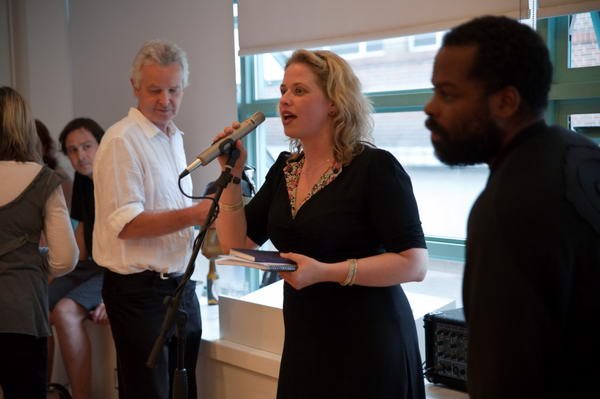
As always, openings are good for the people you meet as well as the work that you see, and as well as Paul (who made sure I always had a full glass) it was good to meet a few old and new friends, although many are away on holiday at this time of year. Among those who did make it were Crispin HughesErmiyas Mekonnen and Vanessa Winship and if there were others I’ve forgotten, blame Paul and the wine – also responsible for the even more rambling than usual second paragraph above!

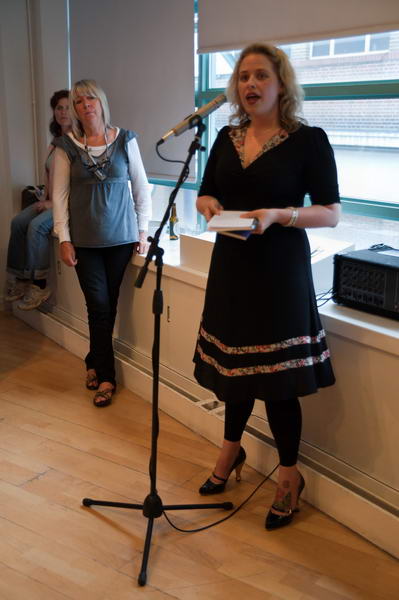
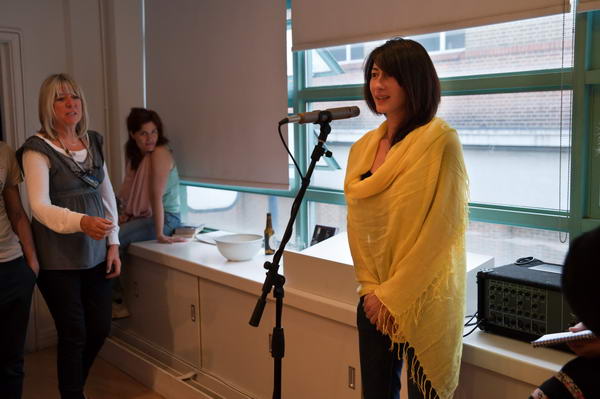
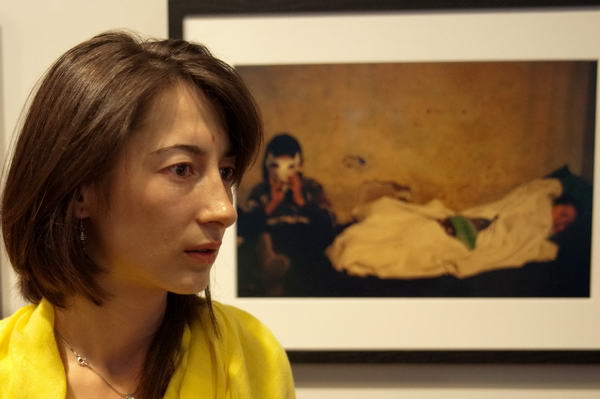
My photographs from the opening at Photofusion, with Dana Popa in yellow. Now I’m rushing to watch a film.

Lightroom 2.4 & Picture Window Pro

Despite my previous experience of upgrades to Adobe Lightroom, I threw caution to the winds and downloaded the latest version, Lightroom 2.4, as soon as I got the notification from Adobe.

Of course I did back up my current Lightroom catalogue before installing the upgrade, but in fact everything went smoothly. Apart from adding a few newer cameras, and fixing some minor bugs, there are no great changes listed for Lightroom 2.4, but on my system at least, the latest version is a welcome improvement.

I’d been thinking that perhaps I needed a more powerful computer when processing a lot of images in Lightroom. It wasn’t that it was particularly slow, but even the odd second or two waiting here and there adds up to a very late night when you have shot a lot of stuff.

Lightroom 2.4 just feels more responsive, making it faster to go from images to image, easier to adjust the various sliders, lagging behind less when you dodge or burn.

I’ve long been an evangelist for Lightroom,  recommending it so often and so firmly that people have told me I should be getting a salary from Adobe. But it really has improved the way I handle digital images, getting better pictures faster from those RAW files. So I’m just a grateful user, though should Adobe read this I wouldn’t turn down some bounty  – a free copy of the ridiculously expensive Photoshop for example…

Seriously though, if you are using Lightroom, I think you’ll find this free upgrade worthwhile – and so far, working with it on around a hundred images, I’ve come across no problems. And if you take digital images and haven’t yet moved to Lightroom, what are you waiting for?

Another recent upgrade, one that I’ve not tried, is to Picture Window Pro 5.0 a sensibly priced alternative to Photoshop from Digital Light & Color (Windows only.)  I quite got to like this program in an earlier version, but though I think in some ways it was more powerful, I never got to find it’s approach to simple things as intuitive as that of Photoshop.  It was very much a program written for photographers rather than graphic designers, but I’d been using Photoshop for too long to really adjust.

The new version does have a powerful range of features including full 48 bit support, colour management including soft proofing and raw conversion and the price – $89.95 ($44.95 for an upgrade from previous versions)  is sensible. I think the only feature I needed (if very occasionally and under protest)  missing from the earlier version was CMYK conversion, and I assume it still doesn’t do this. It can read CMYK files, although I think this still needs an additional dll to be installed.

Olympus Pen?

I don’t often write about cameras and stuff, but the Olympus EP1 finally anounced at a press launch in Berlin does on the face of it look as if it may be something special. Not least because with the 17mm lens (34mm equiv)  and external viewfinder it can double as a reasonably portable and very capable compact camera for those times when you want to travel light. The body is about 120.5 x 70 x 35 mm (plus some protrusions) and weighs only 335g and the pancake 17mm f2.8 only 22mm long and 71g, with the VF-1 viewfinder adding 20g. A total weight of less than half the body only for my D700. If you want a flash the FL-14 is 84g with the 2AAAs adding a little more.

Unlike the other current Micro Four Thirds offering, the Panasonic Lumix DMC-GH1, the E-P1 doesn’t have a viewfinder, enabling it to be considerably more compact. This still rules it out for some kinds of photography, and I certainly won’t be abandoning my Nikons for a while.

The first thing I did on reading more about the EP-1 on Digital Photography Review was to go to their hands on preview but I found a more useful set of sample images on the Photography Blog which were taken with an actual production camera and I could  to download a full-size sample file taken at ISO 1600. The 12.3 MP jpeg made with the 14-42mm lens on a production camera was a 5.8Mb file. It’s not perfect but very adequate, and doubtless the results from a RAW image would be better.

A perhaps small added advantage for me is that almost any lens can be fitted to the micro four Thirds system camera using suitable adaptors. Olympus supply one to fit all my old OM series lenses, one or two of which might be useful with the body, and perhaps more usefully, any Leica M fitting lens can also be used. Apparently the results with some modern Leica lenses on the Panasonic Lumix DMC-GH1 are exceptional.

Frankly I don’t much like the EP-1’s “stylish design” with a deliberately retro glance to the old Olympus Pen. At the bottom of the first page of the DPR feature is a pair of pictures comparing it with the Panasonic Lumix L3, which to my eyes looks so much better. Perhaps in time an all-black version will evolve (as well as the black and silver version there is an even more hideous light taupe and white body.) And as on almost every other camera there are now the built in “art filters” to really f**k up your pictures and gain Flickr kudos.

I’m probably not going to rush out and buy one as soon as they come into the shops in July, but suspect I may not long be able to resist. It isn’t a cheap camera and the 17mm with VF-1 costs rather more than the zoom. It will also be interesting to hear how well the body works with other lenses, and perhaps in particular with a wider zoom than the 14-42mm.

Colour Management

One of the presentations at the NUJ Photography Matters conference that I missed (too busy eating lunch, drinking wine,  meeting people, looking at the exhibition and taking snaps) was on Colour Management.

Assuming that you work with colour (and in this digital age we all do, though some like to pretend they work in black and white, though often the results are not too convincing,)  colour management is something you need to embrace.

Fortunately it’s pretty simple. Buy a decent monitor. Get a hardware monitor calibrator – such as the Eye-One Display 2 – and use it. Shoot in Adobe RGB and supply files tagged as that for print and convert to sRGB for web (and clients who don’t have any idea what they are doing.)

If you want prints, talk to the lab about how they want files and profiles for soft-proofing. To make your own ink jet prints, get specific profiles made for your printer, ink and paper. Apply these only once (usually in Photoshop where you can soft-proof rather than in the printer driver.)

Sorted.

Of course there is a little more to it than this. One clear and concise introduction I’ve just been reading comes from Louis Dina, a Birmingham, Alabama based  photographer and printer. From the Color Management page on his web site you can download two free PDF documents, both very straightforward and readable.

The first, (use the Introduction link at the left of the page to open the page with the download link) is an Introduction to Color Management which tells  you why you need to do it and gives a clear explanation of how it works.

The second,  downloaded from the Monitor and Printer Profiling page gives highly detailed click by click instructions, almost all of which are good advice whoever you get to make your printer profiles. There are a few places where I do things a little differently (for example over the exact monitor settings I use) but I suspect Dina’s approach is likely to be better, and I’ll probably try it out.

[I first came across Dina when looking at black and white printing – a rather more complex subject, and one that takes you – if you are serious – into the world of RIPs, spectrophotometers and specialised ink sets. Colour is in many ways more straightforward because that’s what the printer manufacturers make their ink jets and inks to do.]

If you are in the US, you may want to make use of the mail custom profiling service offered by DinaGraphics mentioned on these pages  – it seems very reasonably priced for what it offers, although I’ve not tried it myself –  but there are also excellent services elsewhere.  But looking at the prices charged by professional sites in the UK, it could be worth paying the postage to the US.  On the site you can also download  profiling targets, and one of these, designed for preliminary testing to establish the best driver settings for a particular paper (its use is detailed in the second PDF) seems worth using whoever you are going to get to make your custom profiles.

I’ve tried making my own profiles using scanner based systems, and tried profiles made by people with some of the cheaper spectrophotometers marketed to  photographers and studios. Both better than nothing, occasionally even an improvement on ‘generic’ profiles from paper vendors, but neither a match for those produced on more expensive equipment.

One of the UK specialists in Colour Management is Neil Barstow, and together with Photo Pro digital editor Michael Walker he is producing the forthcoming e-book “Practical Colour Management for Photographers“, and they were both at Photography Matters to talk about this and discuss colour management.  There is a great deal of information on colour management on his web site including a knowledge base and also a free consulting service.  Much of the site is aimed at press and pre-press and the approach is perhaps overkill for working photographers. I can’t at the moment find more information about the forthcoming book.

Another resource that can be downloaded is  the complete text from the colour management chapter in Martin Evening‘s Adobe Photoshop CS3 for Photographers – which of course some may already have. Being designed for the printed page I find it a little confusing on screen. But I can in any case look at his advice on the subject in his book on the older version of Photoshop I use.

Jiro’s Café

Of course it’s only sensible that the lighting in art galleries is on the pictures, but it doesn’t make things easier when you are trying to photograph the people at an opening. There might be ways around this with some serious effort, but I hadn’t gone to the opening of Jiro Osuga‘s installation, Café Jiro, in the Flowers Gallery in Cork St, London, to take pictures, but to admire his incredible imagination and painting.

© 2009 Peter Marshall

The lighting on the pictures gives a white balance at around 2300K (and around -6 magenta) so using flash to add a bit of light would really need a suitable filter to bring it from around 5600K. And there is a largish door and window at one end of the room with evening daylight at closer to 8000K. I’m travelling without my camera bag, just the D700 with a 20mm, and its built-in flash isn’t too great in any case, so though I take a few with it, most of the time I elect to work with available light at ISO 3200 and later adjust the lighting balance in Lightroom, burning the brightly lit painting on the walls and dodging the dimmer figures.

© 2009 Peter Marshall

I discover you can even apply a little amber to the street outside the gallery to more or less neutralise the colour cast should you want too, but I quite like the mixed colour effect. The quality from the D700 at ISO 3200, which allows hand-held exposures at around 1/100, f3.5 in the fairly dim interior, is nothing short of amazing compared with the bad old days of film.

© 2009 Peter Marshall

I’ve long been an admirer of Jiro’s work and have organised several group shows including some of his pictures, but in this show he has created something on a larger scale than before, re-creating the whole ground floor of the gallery as ‘Jiro’s Café’. The words ‘accessible’ and ‘fun’ can seldom be attached to shows in this most famous of Mayfair gallery streets in London, but this show is certainly both, and also a powerful showcase of the intelligence and vision that Jiro’s work always displays, applied to a much larger canvas, or rather series of canvases.

The large area around the room took seven months to paint in the artist’s studio, where he could only see and work on it a canvas at a time, and it must have been a considerable relief to see it altogether for the first time in the gallery when the show was hung and find it all fitted together perfectly.

© 2009 Peter Marshall

My pictures concentrate on the people at the opening – and particularly on friends of mine who were there – including the artist.

© 2009 Peter Marshall

A few of those in my photographs are also in the paintings, particularly the gallery staff who can be found in the kitchen. Y0u can see 19 panels on the Flowers Gallery web site
which includes most of the display except the topmost level, but you really need to get to Cork St and see it as a whole to appreciate it as an ensemble and the relationships between the parts. In the basement gallery there are also other some smaller paintings by Jiro (and some other gallery artists) in the downstairs area.

© 2009 Peter Marshall

Although it contains some references to the original site for which it was designed – such as the windows on the front wall which are those of the street opposite, it is a work that would stand on its own and could be shown in galleries and museums elsewhere, and I hope others around the world will get an opportunity to see it.

© 2009 Peter Marshall

At the gallery you can buy a nicely illustrated catalogue for a tenner and also a one metre long thin card showing all the paintings that make up Café Jiro at a quid, including the panels in the doorway showing a dog tied to the café’s sandwich board. In my photograph he is being photographed by his owner and his head is clearly visible on the screen of her camera in a larger image. Hidden behind her head is the painted wheel of Jiro’s bicycle.

© 2009 Peter Marshall

Don’t miss it. The show continues until May 23, 2009.