Wine-tasting for London Bloggers

Around 50 London Bloggers from the almost 400 members of The London Bloggers Meetup Group enjoyed a great time in the basement at Ember in Farringdon last night, tasting wines provided by wine bloggers from Germany, Italy, Spain and Portugal, invited by Robert McIntosh of the Wine Conversation blog and Thirst for Rioja,to contribute some bottles of wine and a short video for the occasion.


Robert pours a wine sample

This is a photo blog and not a wine blog, so let me start by saying something technical about the pictures before getting down to the wine. I was working with the Nikon D300, starting with a 20mm f2.8 and then moving to a Sigma 18-125mm lens. As usual I worked in P mode, but with the SB-800 flash set to work at -2/3 stop to avoid any over-exposure. The flash was in TTL/FP mode, with a minimum shtter speed of 1/60, and I set the4 ISO to 1250 so that the dim light in the bar would add a little to those areas not lit by flash. Quality at 1250 is still pretty good on the D300, but with a D700 or D3 I would probably have prefrred to work at 2500 or 3200.


Glasses waiting for the tasting as Robert talks about the wines

I had the translucent dome diffuser on the flash to give an even spread of light over the frame – almost all the pictures I took were at 18-20mm. Apertures – set by the camera – were around f8, which with this wideangle gives plenty of depth of field. I worked with the camera on autofocus, selecting a focus area on the closest face in the picture.

The flash head was generally angled so that most of the light rteaching the subject was bounced from the slightly off-white ceiling. It coloured the flash a little, but I think the white point aedjusts for this as it is the main light, and leaving the camera on auto white balance gave good results. On shots where a part of the subject was close to the camera I generally swivelled the flash head away from that direction.


Enthusiastic bloggers towards the end of the evening

Despite the use of bounce flash in most of the pictures there was still considerable light fall-off evident in the images, which is where Lightroom 2.1 came in. In most of these images I’ve done some burning in of faces, arms and hands close to the camera and a little dodging of important but more distance areas.  Using ceiling bounce, areas such as the tops of balding heads need considerable attention to bring them to a normal density. Somehow ears too can often seem too bright however you light things, and so need a little burning down too.

Of course there would be some advantages in using the flash away from the hot shoe, but this makes things far less convenient. And as I think these results show you can do surprisingly well with a flash on your hot-shoe.

Now for the wine – and it was a fine selection.

Thirst for Rioja
Robert’s own blog on the Rioja area for Spain and in particular the Bodegas Dinastia Vivanco, Bodegas Criadores de Rioja and Bodegas Carlos Serres which he represents. His  video – his first – is perhaps a little too static and information filled. The wines he brought were a white Vivanco Viura Malvasia, Rioja, 2007 which I didn’t taste and Dinastia Vivanco Rioja Crianza, 2004, a really fine oak-aged red I’d be very happy to drink again.

Winzerblog
Winzer is German for Winegrower and Thomas Lippert writes about his daily work growing grapes and making and selling wine. His video tour of the estate has some nice touches but is far too jumpy. Thomas provided Riesling Kabinett Trocken 2007, Weingut Clauer which I didn’t taste.

Bodegas Tintoralba
Javier Navarro‘s site about this cooperative winery in Higueruela, a small town near Alicante, where almost all of the 1300 inhabitants belongs to the co-op. The video has a few pictures of it near the end. But what impressed me rather more was the smooth deeply coloured Higueruela wine – probably my favourite red of the evening.

Poggio Argentiera
Gianpaolo Paglia
blogs for Poggio Argentiera, a young winery with two estates in Tuscany. As well as a video in which he talks about the area and its wines in English, you can watch another in Italian which shows you the area and the grapes, and very much makes me want to pay a visit there. The red wine, Bellamarsilia – Morellino di Scansano, was, as the web site says “perfect for every day, informal drinking, fantastic for parties, middle-of-the-week suppers at home or in a nice little eatery, or by the glass over lunch.”

Casa de las Vides
Emilio Saez Van Eerd from Casa de las Vides in Valencia, Spain sent us a video with some nice still pictures of the vineyard and winery (though I find the music over-obtrusive.) The  CVP 2007 was another fine oak-aged wine, though not my personal favourite of those tested.

Cortes de Cima
Jose Eduardo J Silva writes a very readable blog (in English) about this family owned vineyard and winery in the south of Portugal. The vineyards look a little bleak in the video, which also shows the winery. The dark red fruity Syrah 2004 did, as it said on the video, make me want to have another glass, and I did. Another good drinking wine.

Justin Roberts of the  Vinos de Jerez etc… blog persuaded Jan Pettersen at Rey Fernando de Castilla to supply their Antique Oloroso, and made a video interview with the man who made it. I’m sorry I didn’t get to taste it, but there is only so much I can drink, and I’ve never been a great fan of sherry, although one of the few perks of being a union rep some 25 years ago was that the boss used to always give me a glass if I went to see him late morning.

And I don’t often drink port, but at the end of the evening I just couldn’t resist some of Quevodo Port’s  Special Reserve Tawny. Again there is a video, by Oscar Quevedo, the youngest member of the family who have been making Port for over 100 years in Portugal above the River Douro, and one of five bloggers on their site. An 8 year old fruity wine with 19% alcohol, it did really make excellent drinking, though I was very pleased I wasn’t driving the bus or train home.

Thanks, Robert!

D3x – The Führer Gives his Opinion

Quite a few have remarked that the recently announced Nikon D3x appears to use the same sensor (Nikon say it isn’t identical, but differences are likely to be small) as the Sony Alpha 900, but while the Sony has a street price of around £1600, the Nikon is expected later in the month for £5,500.

There are of course considerable differences in the camera specifications, but hardly it seems enough to account for anything like that price difference.

Looking at the performance of the Sony Alpha 900,  it isn’t a camera that would greatly appeal to me. The Nikon D700 or the D3x have a lot more going for them with their better performance at high ISO.  And for those of us who take a lot of pictures, those up to 50Mb RAW files would really eat up card and disk space.

However I’m certainly not going back to an F2. The D300 is still doing pretty well.  You can see more videos on the D3x on YouTube – but most are very annoying. The best of a bad lot I’ve found so far is from What Digital Camera magazine.

But the review you really have to see is where the Führer vents his spleen when told the price of the D3x. “Makes me wonder why the hell I went digital, instad of stick to film like Stalin!

Nikon D3x

Given the leaks and teasers that have appeared previously there were few surprises in the description of the Nikon D3x in the Nikon Pro magazine that came through many of our doors this morning.

What is clear is that is probably isn’t a camera I will particularly want. Nikon describe this 24.5Mp ‘FX’ model as “designed with medium format photographic applications in mind” and it has the fairly conservative ISO range of 100-1600, though with boost to ISO 6400.

Its 75Mb files would for most of us most of the time be an embarrassment of riches, although its ability to shoot these at 5 fps seems pretty astounding.  It does have what seems to be a very useful DX mode, which gives 10Mp files.

Otherwise it seems very similar to the D3. Another big heavy camera that’s already overkill in various respects. The price is yet to be announced – rumoured at around $5,500, enough to put it out of my league, but still likely to make some other manufacturers wince.  And even if you’d like one for Christmas you will be out of luck. More chance if your birthday is in February at a guess.

Nikon’s recommendation for your Christmas list is the D90, a camera that in some respects, certainly according to the DxOMarks, outguns cameras including the Canon EOS 5D and Nikon D300, despite selling (body only) for under £600. And there is a rather nice sounding new DX 18-105 f3.5-5.6 VR  lens to go with it. Compared to the D3x it seems pretty compact which for me is a big point in its favour, although it still isn’t a small camera.

Along with many photographers (though perhaps not a huge section of the market) what I am still waiting for is a true digital successor to the Leica M series. Leica’s own contender, the M8, has proved to be a whole series of disappointments – not just for me but for many other users – hardly addressed by their second edition and in several ways Epson’s rather curious earlier attempt (I always feel the need to don racing goggles and jump into a sports car when I look at its top plate)  is still the best in this area, one that Leica seems to have relinquished for their S series. But both – for better or worse –  were ‘retro’ cameras, firmly founded in the 1950s, and what I would love to see is their 21st century equivalent – including the kind of low-light capabilities we now see in the D700/D3.

Cafe Ideal, Cool Blondes and Paradise revisited

I worked on the project that became Cafe Ideal, Cool Blondes and Paradise for around ten years, and the final on-line version I mentioned in a previous post is only one of several ways that I showed the work – there were also several different physical shows. But all of these only really scratched the surface of the project, for which – at a guess –  I took around 20,000 images.

Recently a group of 25 of them have been selected for a museum collection and I’ve been getting down to scanning the negatives – mainly from around 1990 – for the first time.

Technically it wa a project that was made possible by my switch to colour negative in the mid 1980s. Until then colour neg had largely be seen as an amateur medium, while pros shot mainly on transparency, which was always demanded for repro work.

Many of the images I too for this series would simply have been impossible on transparency material, as the lighting contrast was simply too high, and shadows would have blocked to an impossible extent on the higher contrast material. The presence of lighting of differing colour temperature would also have been a challenge  on some images, but was easier to handle on neg  – though sometimes it meant waving CC filters under the lens over parts of the printing the darkroom.

Like many other things in photography, this would have been so much easier with digital – and the prints from scans are very much easier to correct.

Almost all these pictures were also taken with a shift lens, which again was essential to the project, enabling me work from the viewpoints that were possible and also to exercise some control over perspective. The framing in these images would not have been possible without the vertical and horizontal displacements that this lens allowed.  I still often find myself trying to push the lens to one side when working with other lenses on a digital SLR.

Many of the images chosen are ones I’ve not used before, and previously I’ve mainly scanned enprints rather than negatives, so it’s been interesting for me to see this work again in a new light. I think I will end up scanning many more images from the project and re-evaluating it.

Paris Photo: Siskind and Fukui

As in previous years, I found Paris Photo rather a strenuous event. But then I make it so by trying to see everything, but to do so in the shortest time possible. It’s really a mistake to go on my own and to try and work so hard, because there is just too much there.

But I dislike the location, deep underground with no natural light, and, at least on the opening night far too much noise and far too many people, and there is just so much to do and see elsewhere in Paris. Paris Photo is in some ways the nasty medicine to be swallowed before I let myself enjoy the rest of the city, but also hidden in it are many treats.

Actually compared to previous years there was perhaps a little less going on at Paris Photo, with one or two familiar faces among the American dealers in particular missing, although there were still 18 US galleries there, including five listed as first-timers (Stephen Daiter, Robert Mann, Sepia International, Weinstein and Yoshii) as well as Janet Borden and Jackson Fine Art returning after an absence.

Perhaps most noticeable from the US were a number of galleries with work by Aaron Siskind (1903-1991) – it seemed to be his year.  Bruce Silverstein who represents the estate, tells me that a major show of his work is in the offing.

Business appeared to be pretty good despite the current financial problems, with people perhaps feeling that it’s better to have pictures than stocks and shares.

This year the overall emphasis of the show was on Japan, and it was good to see more work by some of the Japanese masters although for me the contemporary work in the Statement section from eight invited Japanese galleries was largely disappointing.

Among those whose work did take my interest, were the night urbanscapes of
Nobuhiro Fukui, (b1972, Naruto City, Japan) who lives and works as a magazine editor in Tokyo.  In an interview,  he talks of a long love of walking the city late at night, and when a few years ago,  inspired by the work of Osamu Kanemura (who later he went to as a workshop student), he decided to take up photography and bought a digital SLR it seemed natural to take pictures while he did so. He actually finds a bicycle the best way to get around the city at night, going to new places and photographing whatever he finds there. The large inkjet prints (and most of the best prints on display at Paris Photo except ‘vintage prints’ were inkjet – though travelling under a wide range of aliases) on display demonstrate clearly the superb quality that can be achieved at night using long exposures on digital cameras. The images show the superiority of digital under these conditions, with its lack of reciprocity failure and colour shifts and its ability to cope with unusual light sources.

More of my thoughts from Paris Photo in later posts.

Nikon D200 firmware update

Some rather old news, but some Nikon D300 users may have missed it – a firmware update 1.10 was made available a couple of weeks ago and is worth applying. Separate Windows and Mac links are provide and you can read full details of the improvements on either page, along with the detailed instructions about applying both parts of the upgrade. It took me about 5 minutes to download and upgrade and there are for me few significant changes but some useful minor bug fixes;

So it isn’t earth-shattering to find:

The range of settings available for ISO sensitivity settings > ISO sensitivity auto control > Minimum shutter speed in the shooting menu has been increased from 1/250 – 1 s to 1/4000 – 1 s.

Although there might be situations where this will be useful. But if you have a speed set when you carry out the upgrade be warned that it will need to be set to the original value again afterwards – mine was changed to something very silly.

One thing that must be applauded is the addition of a copyright messsage facility, especially when thinking about the inevitable ‘orphan’ rights legislation:

A Copyright information item has been added to the setup menu.  When Copyright information is enabled, the copyright symbol (©) is shown in the shooting info display. 

I wasn’t sure what to put in the two fields provided.

The ARTIST field allows 36 characters and ends up in the IPTC Contact/Creator field (as named in Lightroom) while the COPYRIGHT field allows 54 characters and fills the IPTC Copyright/Copyright Field, but there is no © symbol available (though you could use (C)) and the Copyright Status is left as unknown.

Of course you could add other information – for example a phone number or e-mail address or domain name into either or both fields as space allows, to make sure that every image you make is suitably baptised at birth, although both phone numbers and e-mail addresses often change relatively soon.  But it’s a start.

Who needs medium format (or full frame, or APS?)

All of us (apart from a few masochists) would like a camera that was small, easy to carry and use and relatively cheap but took pictures that would (at least technically) be as good as those that you can get from big and expensive cameras (if you can afford them.) Photography has always been very much tied to expense – whether it was the manservant and the photographic van for Roger Fenton in the Crimea or the eye-watering cost of the digital Hasselblad (though they recently announced a price cut.)  And through the history of photography there have probably always been people ready to point out that a good big’un will always beat a good little one.

In You’ve Got to be Kidding! No – I’m Not, Michael Reichmann of Luminous Landscape compares a Hasselblad H2 with Phase One P45+ back and a Hasselblad 55-110mm lens is compared with the Canon G10, costing somewhere around $39,500 less.  The test conditions slightly favoured the Hassleblad as that was firmly on a tripod, whereas the G10 was simply held on top of it.

Of course the ultimate image quality of the Hassleblad combination was higher, and as the article states will clearly show for large prints – greater than 13×9 inches.  But at this size he found that photographers and industry pros couldn’t tell the difference between prints from the two cameras.  The only significant difference at this size was in the depth of field.

So is it still worth shooting on larger and more expensive cameras? Often of course it is, as the larger sensors will certainly perform better at higher ISO and for when larger prints are needed.  You also get advantages such as better viewfinders and greater flexibility at least with DLSRs – including the ability to use lenses like the 10.5mm semi-fisheye I rather like.

But cameras like the Canon G10 do show how good small-sensor cameras can be, at least where the light is good enough to use relatively low ISO and where really large prints are not needed.

Of course, camera choice ends up as a very personal thing. Reichmann in a comparative review of the Canon G10 and the Nikon P6000 (which also refers to the Panasonic LX-3) makes clear some of the differences of approach reflected in these cameras (and the Canon G9.)  Users who hoped that the G10 would be a better G9 may well be disappointed, and Dave Allen certainly was. If you’ve not seen his video review yet, don’t miss it. Even if you have no interest at all in the G10 I think you will enjoy it.

Despite this I’m still thinking about buying one!

Getting Pictures and Missing them

F8 and be there’ is the traditional advice for photojournalists, but something I’ve rather been ignoring in the last few days.

Well, the ‘f8‘ went some time back when I discovered the freedom of the  flexible program ‘P‘ setting along with ‘auto ISO‘ on the Nikon D200 (and now the D300.)  Now 99% of the time I rely on the camera to choose an appropriate setting within the fairly wide parameters I set, only bothering to think about that side of things when I know I need considerable depth of field or I’m shooting something moving really fast and have the luxury of time to think about it.

Using auto ISO is just a matter of choosing a suitable base ISO for the light conditions, along with a maximum ISO for me limited by the noise characteristic of the camera – ISO 1600 for the D300 is, so far as I’m concerned, the highest rating  where images are generally usable without any special processing to reduce noise.  It would be nice to have a system that allowed you to set a minimum shutter speed to use which was dependent on the focal length in use, perhaps following the good old ‘1/focal length*‘ rule, but you have to choose a single shutter speed. My usual compromise is 1/100th, which, thanks to the 18-200mm having vibration reduction, is generally fast enough to get usable results at the long end.  But when I’m working in low light and only using wide-angle I  happily choose a speed such as 1/30 or even slower.  With auto-ISO on and 1/100th set, you do get down to these slower speeds with the lens wide-open at the maximum ISO (1600 in my case) which is probably exactly when you want them in any case.

As I understand it, the camera uses the base ISO you set, varying aperture and shutter speed until it runs out of light at full aperture and your minimum shutter speed, then increases the ISO to keep exposure correct until it reaches the maximum ISO. Then it will let the shutter speed drop below the minimum set.   Using fill-flash complicates matters slightly as with that I set a minimum 1/60 second. Anyway, everything usually seems to work pretty well for me however it does it.

Around 1/60 – 1/100th is quite a nice speed for shooting, allowing just a little movement in images which can give them more life.

Rt Click, View image to see larger

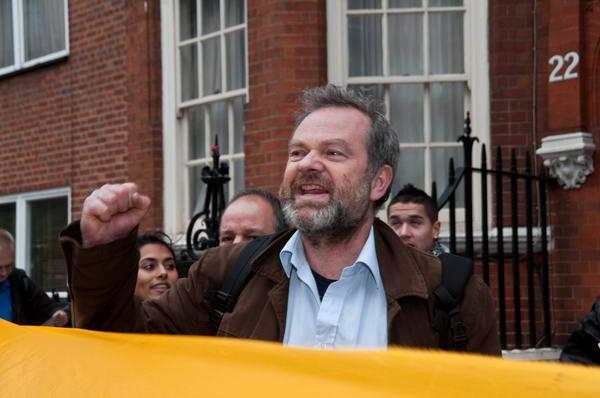
This picture of a man demonstrating opposite the Colombian Embassy in London on the day of the general strike there (text and more pictures at Support the General Strike in Colombia on My London Diary) is a good example.  Looking at the picture at a normal size, it is clear that this man is waving his fist, not just holding it up in the air, though this may not be apparent at this scale.  I was using balanced fill flash (at -1/3 stop) , so the shutter speed was 1/60 and the aperture f5.6 at ISO 400 (my base ISO at that point.) It was taken with the 18-200 at its widest setting (where the max aperture is f3.5)  and just after 5pm on a dull evening as light was beginning to fade. The fill lifts the central figure slightly from the background and adds a sharp definition to the slightly blurred fast moving fist.

I don’t think I could have made better choices manually – and certainly not in the time available. Leaving the camera to handle things usually gets them done better and lets you get on with taking pictures. But of course it is important to know when and how you do need to take over from the automatic systems, even when such interventions now need to be rather less frequent as systems improve.

Of course, pictures aren’t complete until you –  or the camera – processes them. The in-camera jpeg doesn’t look quite the same as the above image. That’s an area where I don’t leave it on automatic, but take the data and handle it how I want in Lightroom.  Of course part of that is automatic – camera calibration setting, various presets, but on top of that there are various manual adjustments.  For example the flash rather washes out the bright yellow banner – the closest object to it – and a little burning in takes that back to an appropriate level, and the central face was also just a little too bright.

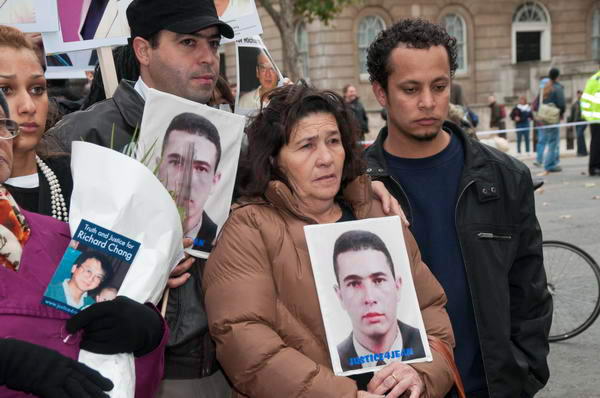
At that event I was obviously there, although ‘be there’ is perhaps more about standing in the right place at events. Often it’s a matter of working out what is likely to happen while you watch what actually is happening, and the pictures of the de Menezes family outside Downing St are a good example of where I made the right decisions. Of course there are many times I get it a little wrong too, but if you don’t think ahead you are less likely to get it right.


More pictures on My London Diary

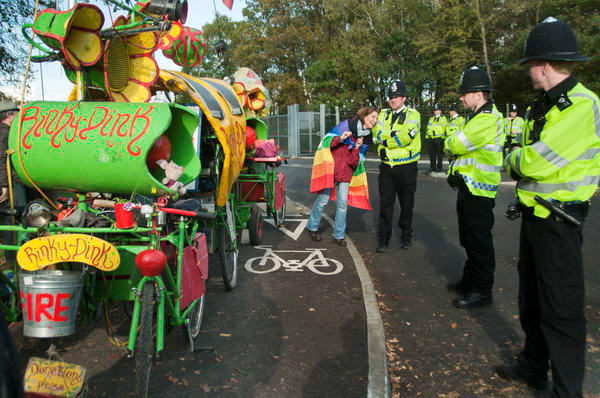
And on Monday, I went to the ‘Big Blockade’ at Aldermaston knowing that I would be too late to ‘be there’ for the major events that were taking place.  But I think there are still a few interesting pictures even if I missed the real excitement. (More on My London Diary.)

Rt Click, View image to see larger

But on Tuesday I managed to take not being there to new levels, turning up at entirely the wrong location for a photo-call, having neglected to read my diary properly before I left home.  It’s perhaps a pity that this aspect of photography can’t be made more automatic.


*There is some highly technical debate as to whether with DSLRs one should use the actual or equivalent focal length. Which I think is pretty stupid considering it’s only a very rough rule of thumb.  Whichever suits you is surely the answer.

RAW Converters: Capture One Pro 4.5

When I first started shooting digital, the RAW converter favoured by many pros was Capture One (CO), and so I bought a copy, and was reasonably impressed by the quality of the output although never by the speed of operation.

When Pixmantec brought out their RAW software I was easily converted, at least when the improved Pro version appeared. The output files looked more or less as good as those from CO, but the big advantages were in speed, workflow and a more intuitive interface.

Then Adobe bought up Pixmantec, wanting to incorporate its superior technology into their own products. Many of us were disappointed, but at least Adobe did give us the promise of a free copy. Lightroom when it finally arrived took a little getting used to (and I had to buy a higher spec computer to run it) but soon had me convinced that its integrated approach covering image management was the way forward.

More recently I’ve been more than impressed by Lightroom 2.1 RC (not a Catholic conversion but “release candidate“) which Adobe brought out rapidly to redress the problems which hobbled the performance of 2.0 on my machine.) Its burn and dodge tool in particular has almost completey removed the need to transfer any of my images to Photoshop in normal processing.

Long ago I’d subscribed to several future upgrades for CO, so I’ve kept up with the various releases of this. Although I didn’t use it often, there were occasional images where I just was not satisfied with the results I could get from Lightroom, and often found I could get a visibly better result with CO.

For some time, Phase One has been heralding the appearance of Capture One 4 PRO, and finally it has arrived. I downloaded and installed it this afternoon (I find it is version 4.5) You can see more about it on the Phase One site and download a trial copy if you want to try it out.

It is a real improvement over earlier versions, with improved tuning of image colours as well as a new skin tone tool. But even in these new tools there were some disappointments. One of the program’s problems has always been that it is in part a specialised tool for photographers using Phase One’s digital camera backs. It would simplify the software if this support (and that for some other tethered cameras) was eliminated from the normal version of the software. It remains rather less intuitive than Lightroom.

The lens correction tools are very welcome, but limited, again due to the software being seen as a support for Phase One. A product intended for pro use should at least come with lens profiles for popular Nikon (and Canon) lenses allowing the easy removal of lens distortions and chromatic aberration. However the the automatic CA removal works quite well and is fairly fast, and purple fringing is also handled quite well. (Presets are supplied for a few Contax and Hassleblad lenses.)

I was unable to carry out distortion correction as there were no presets for any lens that I use. The manual suggests you can adjust distortion manually (and save the results as Style presets for a very limited approach to automatic correction) but this is generally very difficult to judge with any accuracy. There is only a single control so more complex distortion cannot be handled. Manual vignetting adjustment is also possible, but so far whatever I’ve tried the ‘Color Cast’ check box and ‘Sharpness Falloff’ and ‘Light Falloff’ sliders and check boxes are simply unavailable clutter on the interface.

The other unacceptably poorly implemented feature in CO is Metadata support. You can add IPTC caption and copyright information, but not other essential fields such as keywords, location, date, category etc.

CO is probably a decenttool for studio-based photographers who don’t work with agencies or picture libraries and where optimum image quality is a high prioriyt. In particular it will appeal to those who find its “styles” useful rather than those who prefer their photography untrampled by such “creative effects.”

If you shoot on Nikon and need software to deal with the occasional file where Lightroom 2.1 doesn’t quite come up with what you need, then probably the best overall choice is the powerful if almost terminally unfriendly Nikon Capture NX RAW software (now actually NX2.) Just don’t ask me how to use it.

IJFR – forget jpeg + RAW

Once I got a camera that would write RAW files, I made up my mind to shoot everything (or almost everything) on RAW.  Despite what one or two loud-mouthed guys on the web say, RAW does enable you to get considerably more out of your pictures – and the only real disadvantge is the extra time involved in processing.

Some cameras do have RAW+Jpeg modes which save both types of file, giving you the potential advantage of speed as well as the higher quality ofRAW – but with the disadvatnage of filling up memory cards with fewer pictures.  But what many photographers fail to realise is that RAW files actually contain a jpeg image as well as the sensor raw data. It’s this jpeg image that you see on the screen on the back of the camera, and also that is used to show the files in your RAW processing software before you process the files, and in other software that displays images direct from RAW files.

A couple of years ago I found (and wrote about) a piece of PC freeware called  Preview Extractor which I use to tell me the total number of exposures I’ve made with my Nikon cameras, but also will rapidly extract theses jpeg preview images from a batch of images.

Recently I’ve come across another free application that can also do this – and is available for both PC and Mac, and is handier to use as it adds itself in your right-click menu. You can right-click on a file or group of files and select it to extract the full size jpegs, or smaller size files. This is a virtually instant process.  Install this small utitlity and you never need to use a Jpeg + RAW mode.

So, thanks to Michael Tapes of RawWorkflow.com and the programmers at Imagenomic for the free Instant JPEG from Raw  and you can read more about it and watch a video showing it in use on Scott Kelby’s blog.