Taking Tablets

I spent most of yesterday at a friend’s house, working on the scans of his images for a show later in the year using his computer system, and it was an experience that made me realise just how useful a graphics tablet is for photographers – because yesterday I had to make do with just a normal mouse with Photoshop.

I first used a graphics tablet while I was teaching, and it was a large and very expensive A4 model, and the experience convinced me enough to get the whole room in which I taught fitted out with smaller and cheaper models. Getting the students to use them turned out to be a problem – it does take some time to get used to the different ways of working. Mice are relative devices which move the cursor from its current position depending on the way that you move the mouse – and you can lift the mouse and put it down somewhere different without moving the cursor. The pen on a graphics tablet is an absolute device, working on a defined rectangle on the pad which is precisely mapped to your screen. Put the stylus at top right of this area and the cursor moves there, pick up the stylus and put it down on the bottom right and the cursor goes there. It takes a little time and effort to get used to this very different way of working – and few students wanted to invest this. Provided with both mouse and stylus they would continue to work with the mouse.

But if you put in that initial training then soon most people get to appreciate the tablet, particularly when working with programmes like Photoshop or Lightroom. It gets much easier to make your way around an image and retouching becomes much easier when you have the software set to make use of the pressure sensitivity – so using a light pressure retouches or paints just a small spot while heavier pressure gives you a larger area.

Before I bought a tablet for myself, I read many of the reviews, most of which suggested that you needed a large tablet for precision. It might be true if you are working with technical drawings, but working with photographs I found that a large tablet was a disadvantage, and was soon making use of the ability to map a much smaller area of our A4 tablet to the screen. The next tablets we bought at work were A5 and much better, but even that area was larger than necessary, and the one that has sat on my own desk for many years now is around A6 – and described as small.

Technology has moved on a little, with many tablets being wide-screen ratio and wireless, but my old Wacom Intuos is still working fine. It seemed expensive when I first bought it – I think for around £75 – and the current equivalent but doubtless improved version now costs more than twice as much. These aren’t the cheapest tablets around but I would certainly buy one again.

As well as getting the work done faster it is also less stressful, and using the stylus has a health benefit; switching from a mouse apparently cuts down the risks of both RSS and Carpal Tunnel syndrome.
Synchronise cameras

One trivial but annoying aspect of working with more than one camera is that of synchronising time between them. It seldom mattered with film, as it was only compact models intended for amateurs than generally kept any record of the time, imprinting it on the film during exposure, and most more serious photographers quickly turned to the pages in the manual that gave instructions for disabling the feature.

But most of us have now grown to rely on the time recorded in the EXIF data of our digital files for various purposes. For me it is often vital in putting images from two camera bodies in correct time sequence, and also often useful when writing about events. What time exactly did something happen? How long was it, for example between the start of an incident and the arrival of police on the scene? Where before I would normally have to rely on having noted down the times (and in the heat of the moment it was often not uppermost in my mind), now a quick peek at the file on camera back or computer tells me to the second. Or should.

This morning I spent a frustrating few minutes trying to synchonise the time on my D300 and D700 bodies, having moticed that some of the pictures I took on Saturday were clearly out of order when sorted by time. I’ve been noticing some slight differences for a while, but when I checked I found the two cameras had drifted over 2 minutes apart.

I didn’t find any easy way to put them right. Setting the two cameras to the same time and trying to push to two buttons at the same time turned out to be frustratingly different as I have the display on both set to turn off quickly to save running down the batteries. My first step should have been to find the custom setting c4: Monitor off Display and set that for rather longer than my normal battery-saving 4s but instead I did it with that, which made it more of a game of chance. Eventually I got it so that the two cameras are now within a second, and I’ll be interested to see how long they stay that way. The clocks don’t seem that accurate – perhaps they sometimes stop for the odd millisecond when the camera is actually busy?

Both are now around 35s fast, but I just could not be bothered to go through the whole thing again to get them closer to GMT.  Accidentally they are now more or less in that curious time zone of British Railway Time, where the 10.29 train actually shuts its doors 30s early at 10.28:30, although for some even more curious relativity unknown to Einstein the trains still seem to arrive using 5 minutes behind GMT.

And I’ll have to remember this Sunday to tell both of them that we are now on BST. At least there is a setting for that in the menu. It was several months before I remembered to do so the last time the clocks changed.

Most of the clocks I now own set their time (and make the change to Summer Time) automatically from a radio signal, and perhaps cameras should do the same, although I’d prefer them only to do so when asked. One of my less useful purchases is a travelling alarm clock that when you take it to other time zones still insists on keeping British time. You can set it manually to some other zone, but whatever you do, in the middle of the night it will call home and set the time right. I wouldn’t want cameras to do that!

NHS Day X

© 2011, Peter Marshall

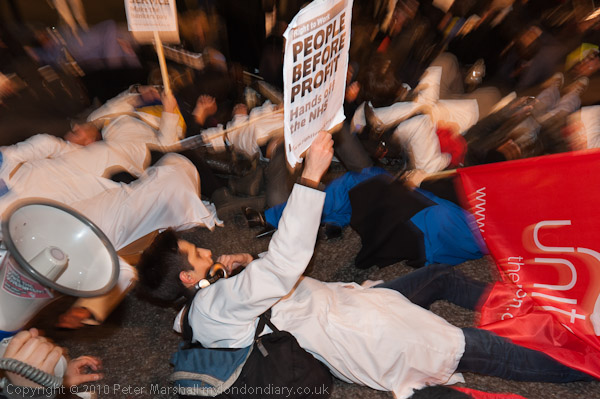
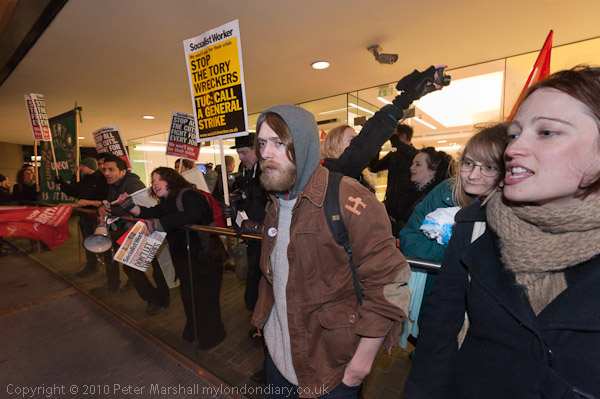
The marchers gathered for a rally outside the Royal London Hospital at Whitechapel as it was getting dark, and as they listened to the speeches I was able to take pictures both with and without flash. Usually I work with two cameras, the Nikon D700 and the D300, but only take one SB800  flash – I just find it too difficult to handle two cameras both with flash mounted on them.  Working with two on straps around my neck is tricky enough, and I sometimes find I have them tied in knots and have to stop and untangle them before I can carry on.

Now we can work at high ISO and get good results, the main advantages of flash in this kind of situation is really in colour.  Street lighting is usually a pretty discontinuous spectrum, particularly where orange sodium lighting is still in use, and adding a little daylight with the flash always makes people look healthier.

At first I mainly worked with the flash on the D300 as I wanted to use it with the longer focal lengths of the 18-105 zoom (27-155eq) where camera shake would have been a problem without it. With the wideangle 16-35mm on the D700 you can certainly work at slower speeds and keep static subjects sharp (though you can’t rely on people to stay still.) I had the vibration reduction switched on, though I’ve still to be convinced it makes any difference, but it doesn’t do any harm.

I started working with the flash in balanced flash mode (TTL/BL) which balances the flash with the ambient light, using what I now regard as the moderate ISO 1250, and setting a minimum shutter speed of 1/30s. Later as it got darker I switched to standard TTL flash, but kept the shutter speed at 1/30s while remembering to set aperture priority so I could work at f5.6. With the wide angle there is seldom any need to stop down more than this, though in P mode Nikon selects f8 at ISO 1250. The extra stop at f5.6 does give better results in decent street lighting, though in some of the darker areas the march later went through I should have set a higher ISO but forgot.

© 2011, Peter Marshall

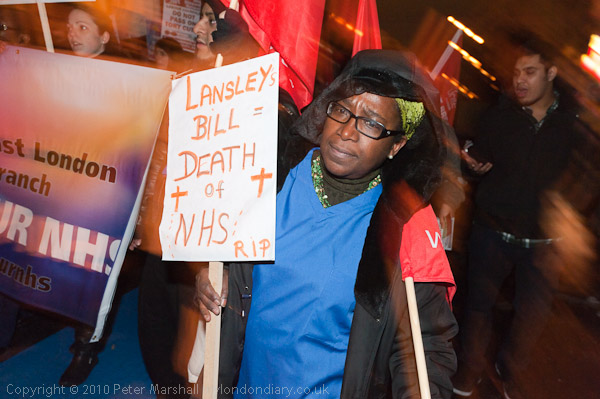
1/30s is an interesting speed with people marching and me walking backwards when taking pictures. Without the flash there would be at least a slight blur, but the flash provides a sharp image of people near to the camera. The effect isn’t exactly predictable – and in the top picture where I was very close to the woman with the placard (the lens was at 24mm) I was actually stumbling slightly when I took the picture, which gives the exaggerated blur in the background.

© 2011, Peter Marshall

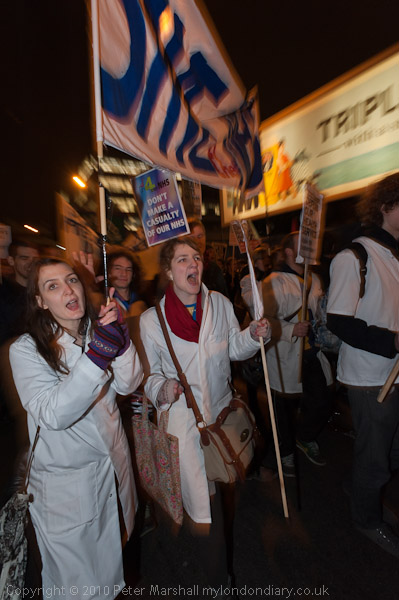
In this picture I was moving the zoom ring and again the flash gives a sharp image which predominates for the close objects. It wasn’t done deliberately, just part of working in a hurry,  but I rather like the effect it gives.

Working with flash does often involve quite a lot of work in Lightroom.

© 2011, Peter Marshall
Image ‘as taken’ – from embedded preview

© 2011, Peter Marshall
After processing in Lightroom

The line of people on the balcony outside the RBS in Aldgate are at rather different distance from the flash. I was using the lens at 16mm (1/30 f6.3 ISO 1250) and with the flash diffuser in place the SB800 gives fairly even coverage, which was a slight pity as I could have done with less on the woman at the right of frame.  Often I try and angle the flash a bit away from close subject matter on one side like this, and I think I probably did on this occasion.

There is an obvious difference in the colour temperature and you can see that all the figures close to the flash have been darkened while those further from it – and lit mainly by the street lighting – have been made lighter.  The processed image is a much better representation of how it actually looked.

You can read more about the rally and march and what the plans will mean for the NHS in Day X Defend the NHS on My London Diary where there is a large set of pictures, mainly taken with flash.

Rich Mix Protest Show

Yesterday afternoon I produced a poster for the showing of some of my pictures at Rich Mix during 6 Billion Ways on Saturday. It should have been a very simple job. I still use the old software I used to teach Desk Top Publishing with around 15 years ago, well before Adobe moved over to InDesign to try and fully compete with Quark.

It was Aldus who made the Mac successful and gave it the dominance that to some extent it still enjoys in the creative industries. Pagemaker 1.0 was introduced in 1985, the year after the Apple Macintosh, and together with Apple’s LaserWriter created Desk Top Publishing, spawning a new industry – and to service this we got other software that could produce the illustrations and images that this required – including Photoshop.

Before this, even simple publishing jobs had required hugely expensive imagesetting hardware and skilled techicians along with tedious and precise paste-ups, but they could now be done quickly and accurately with a few mouse clicks by technically unskilled designers on desktop equipment costing only a small arm and a leg – and of course just a year or two later on considerably cheaper PCs.

Adobe (they bought the succesful product from Aldus) Pagemaker 6.5 came free with one of my scanners and doesn’t have all the bells and whistles of its succesor InDesign but is easy to use, fast and handles text and layout superbly, and works fine with Windows XP.

It was ease of use (and the fact that it could still then be supported as an industry standard) that made me choose PageMaker to teach our students. It was far simpler, less clunky, more competent and more reliable than amateur software such as Microsoft’s Publisher (which I hated having to touch, software that should have been strangled at birth), and the output was so much better. I’m only sorry that Adobe discontinued it in 2004. A simple, effective, classic which really just needed an occasional update to keep it up to speed as operating systems etc change. But apparently what sells is feature bloat. Perhaps the future for those of us who want simple, effective software is in open-source such as Scribus, which also has the advantage of being free.

But yesterday I had great problems, as every time I imported two of my images into PageMaker it gave an error message and crashed. I tried copying them from Photoshop and pasting them in, which worked fine on screen, but they then printed black and white rather than colour. Eventually an error message gave me a clue. Some jpegs produced by Photoshop 7 (also of course from Adobe) started with a section of bytes (I think it was 637 bytes) that Adobe Pagemaker decided were illegal. Loading the jpegs into some non-Adobe software and saving them (at a similar high quality) solved the Adobe-Adobe clash. It was a poster about protest, but I hadn’t expected a walk-out by the software.

From PageMaker I exported the file as a PDF (of course another Adobe format) and checked this by printing on my own Epson printer before e-mailing the 20Mb file (its an A3 poster) for 20 or so copies to be printed. Here’s a rather smaller version (with a black border I’ve added with Photoshop to make it stand out on the page.)

© 2011, Peter Marshall

The bad news is that the projection, which we had wanted to have around 50-60 pictures has now had to be cut to 20 – and none of those in my previous post about the showing will be included. There is still time to register and attend, and there is a great free programme for Saturday at Rich Mix in 6 Billion Ways of which my pictures are just one very small part.

And of course if you can’t get there you can see those 20 pictures on line – along with around 59,980 others – at My London Diary.

Southbank Panoramas

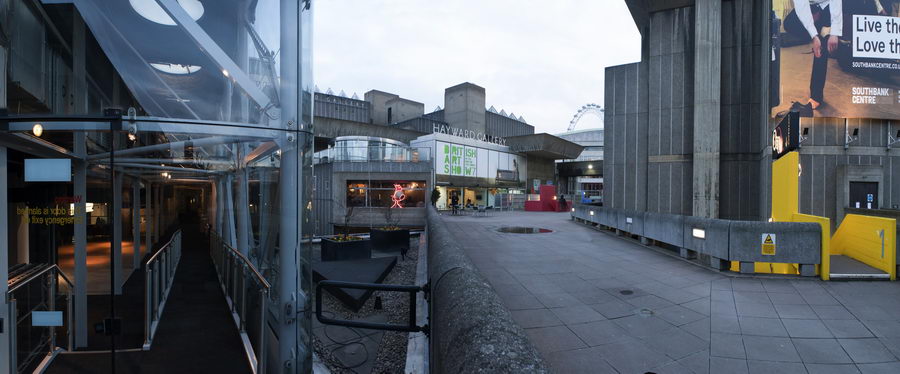
I’d met a friend at the Festival Hall (RFH) to talk about an art project we have been planning together, and as we left I walked up to Waterloo Bridge with her I saw the wide expanse of sky and clouds with the sun just sinking, and knew it was just about time to take some of the panoramas that I had been talking with her about making around the cultural buildings in this area.  I had an hour or more to kill before a lecture I wanted to hear a mile or two away, which was just about the right amount of time.

So I made my goodbyes and started by taking a view from the top of the bridge, though this wasn’t really what I had in mind. But it did look as if it would make a good picture and was hard to resist.  Then I wandered back towards the RFH as I’d had an idea as we walked past earlier, but things had changed a little and the picture I’d thought about wasn’t quite there. But there was another obvious subject, with the sculpture, the yellow stairway, the RFH amd in the distance the London Eye.

But the scenes I was rather more interested in were those that included both interior and exterior views, such as this:

© 2011, Peter Marshall

Like the others it was taken using manual exposure and focus using a Nikon 20mm f2.8 on the D700. Some of the images were taken with the camera in portrait mode, others landscape, and between 2 and 5 exposures were combined to give the final panorama using PTGui.  I like to keep things simple, and worked without a tripod, pivoting the camera on a finger placed roughly where I think the rear nodal point should be. It usually works quite well.

You can see a larger version of this image and a few others on My London Diary, ending with a wide-angle view of the Barbican Arts Centre a mile or so away at night, taken a little later in the evening when I had a few minutes to spare before that lecture.

Valentine’s Day Massacre?

 © 2011, Peter Marshall

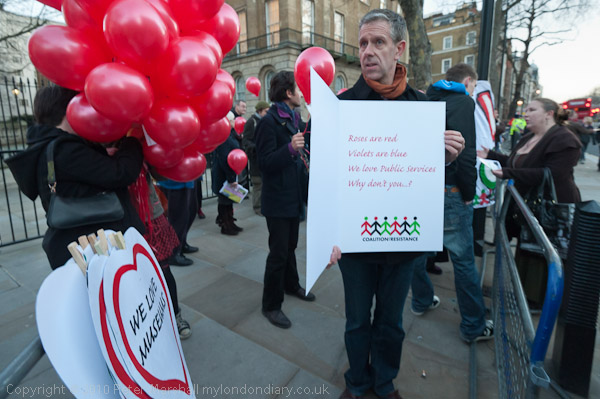
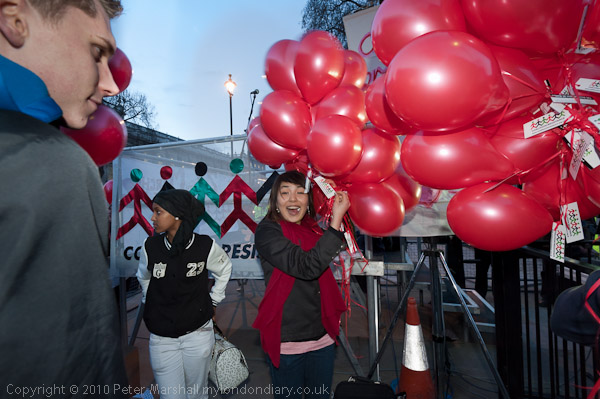
The ‘Coalition of Resistance’, an alliance against cuts in public services, had decided to take advantage of St Valentine’s Day to send PM David Cameron a large Valentine card, with the message  ‘Don’t Break Our Hearts’ and inside the text: ‘Roses are Red, Violets are Blue, We love Public Services, Why don’t you?

Unfortunately, when I pulled my flash out of my bag and stuck it into the hot shoe to take the picture above, I turned it on and nothing happened.  The batteries had been fully charged after I’d used them previously, but somehow they had managed to run down inside my bag. Perhaps I’d left the flash on and at some point something had pressed down on the flash test button and it had been flashing away unseen inside the bag.

Of course I carry a spare set of batteries, but there wasn’t time to change them and get that shot of the card, although I might have been able to take one later. The D700 does have a built in flash, but unfortunately that is pretty useless when using a physically large wide-angle lens such as the Nikon 16-35mm (its at least twice as long as any lens covering that range has a right to be) as the lens casts a shadow in the bottom half of the picture.  So I had to shoot by available light, and there was not a great deal around. But atISO 1600 there was enough to get 1/80 at f4.5, though probably it would have been better to stop down a little more to get better depth of field.

© 2011, Peter Marshall

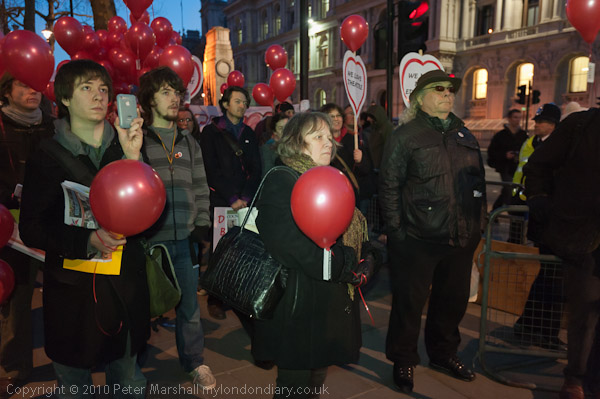
But after that I fitted the spare set and was able to take some pictures using flash, which certainly helped with this one, where the woman holding the balloons would have been in deep shadow without it.

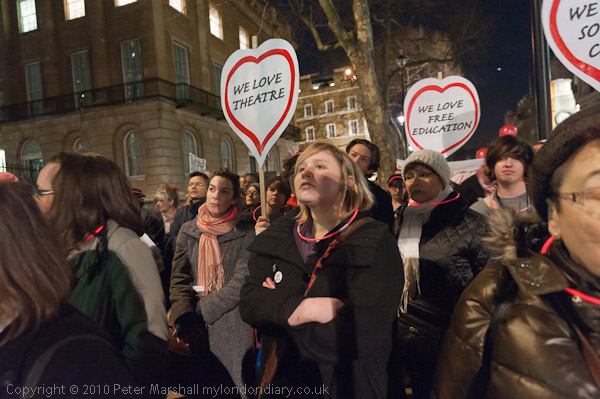
As it got really dark, I was surprised at how little light there really was on Whitehall, one of London’s  best-known streets. Although the street itself was fairly light, on the wide pavement where this protest was taking place it was really rather dim.

© 2011, Peter Marshall

For the picture above without flash at ISO 3200, I needed 1/30 f4.

© 2011, Peter Marshall

And a little later, I was having to work at 1/15 f4 for this image.  Still at ISO 3200, though since I was underexposing by a stop to get some idea of darkness, I suppose that was really ISO6400.

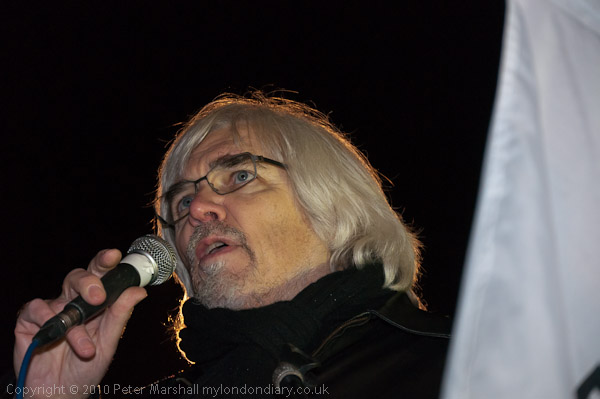
For photographing the speakers I needed a longer lens, and although I took a few at around 2-300mm, the most interesting were using the Nikon 18-105mm on the D300:

© 2011, Peter Marshall

One of the street lights was directly behind the speakers (Paul Mackney in this picture, though I used the same effect on several others) , and some distance away, but by carefully choosing my position I could use it to give some rim lighting. Virtually all the light on his hand and face is from my flash mounted on the hot shoe.  Using ISO 640 with the flash at f5.6 gave me enough depth of field – the focal length for this series of pictures was around 90-100mm – and the shutter speed of 1/60 resulted in just about the right amount of light in the hair.

More pictures at Valentine Protest – We Love Public Services on My London Diary.

Khalifa For Egypt?

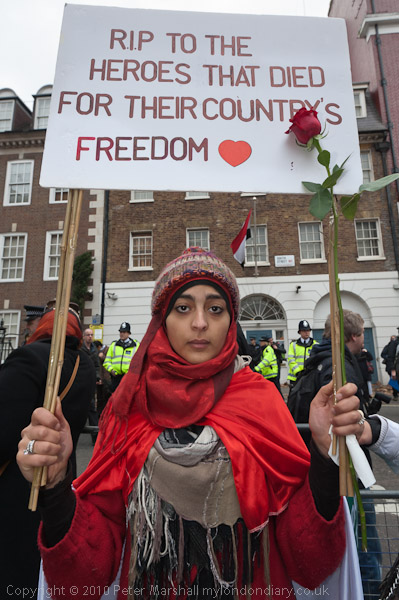
on Saturday 5 Feb, unlike the previous week, Hizb ut-Tahrir Britain were really demonstrating at the Egyptian Embassy rather than around the corner and there were rather more of them than before, more or less filling South Street between Park Lane and the embassy.

© 2011, Peter Marshall

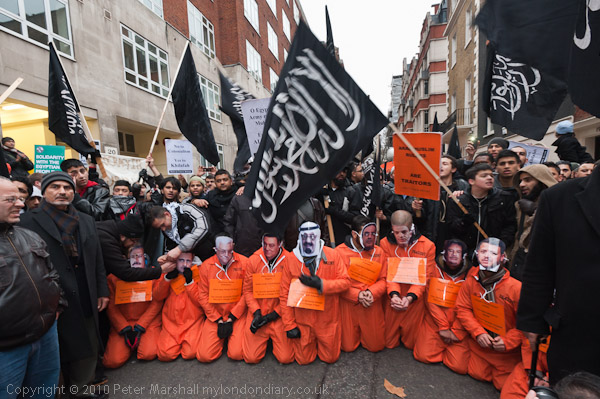
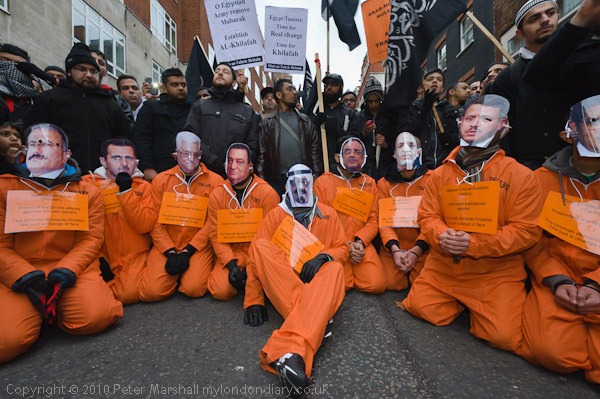
At the front of their demonstration was a low stage with a speaker and set out for the press to photograph was the scene above, with orange clad ‘detainees’ wearing masks that were the faces of Arab Muslim rulers who Hizb ut-Tahrir see as traitors.  Around the necks of these men were orange placards with their names and a short epithet regarding their crimes – Mubarak was described as ‘Israel’s most loyal bodyguard’- and the message ‘The Umma demands Khilafah – Not just a change of face‘.

It was a nicely done piece of theatre, and all of us photographers snapped it up, despite the fast fading light. But it was the kind of thing where we would all get very similar pictures, and I certainly could find little to do to make my pictures different.

These bright orange suits are rather a pain to photograph, at least on Nikon cameras, as the orange colour comes out too intense and too red, as in the image close to the top of this post.

© 2011, Peter Marshall

The best way that I’ve found to deal with this is by using a different camera calibration profiles to those supplied with Lightroom . There is something about the theory behind these things on Sandy McGuffog’s Chromasoft blog, and recently Nik Player has posted a zip file with sets of both ‘invariant’ and ‘untwisted’ profiles for the D3/D300/D700 based on the latest ‘Beta 3’  camera profiles for selected Nikon bodies released by Adobe Engineer Eric Chan. I’ve not yet had time to try out these newer profiles, which should do an even better job than the old ‘untwisted’ profiles I wrote about some time ago and which I used for the above image.

More about the demonstration at Hizb ut-Tahrir at Egyptian Embassy on My London Diary.

Egyptian Embassy Protest Continues

After the rally at the US Embassy, the Stop the War Banner led off the march to the Egyptian Embassy deliberately in exactly the opposite direction, going north past the US Embassy before turning east along Brook Street.

This footsore photographer felt no need to follow them, and limped his way the 400 yards or so to the conveniently located Egyptian Embassy – far too short a route for a protest march – where Egyptians have been keeping up a more or less permanent protest in support of their compatriots back home who have so far liberated Tahrir Square but are staying there until that extends to the rest of their country.

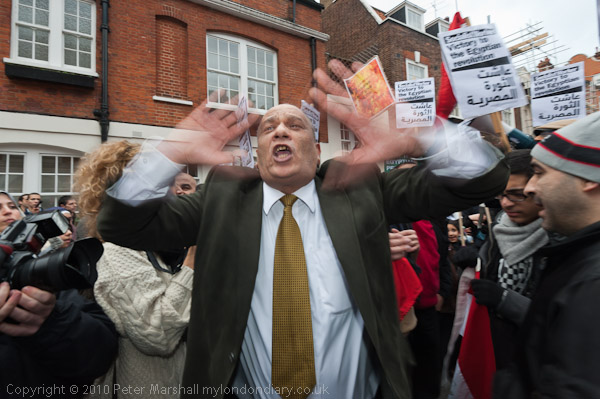
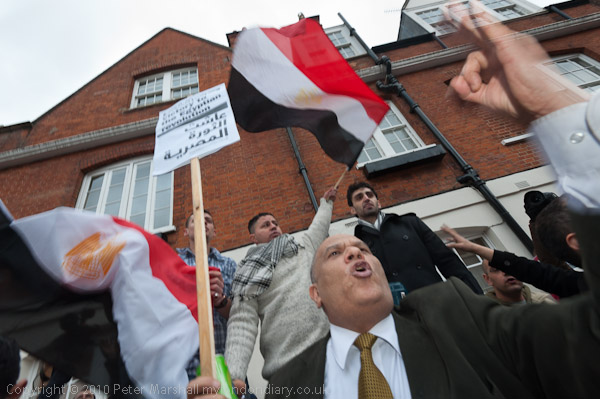
Their protest in the mews directly opposite the embassy was a good-natured volatile crowd, people jumping up, shouting slogans, climbing on other’s shoulders and making a great deal of noise, just the kind of situation where a wide angle lens such as the Nikon 16-35 really comes into its own.  The only problem was that there were too many other people there taking pictures, and at times it was difficult to avoid them crowding into my view (and doubtless I was often very much in theirs.)

© 2011, Peter Marshall

So, as you can see, at the left of the picture a camera and flash pokes its way in (I’ve burnt in hands on the edge of the frame to make them a little less obtrusive) and less obviously,  the woman in the white jumper is also taking pictures, though the central figure’s arm almost obscures her. By now it was beginning to get dark, and my exposure was down to 1/60 f8, with the flash giving as I hoped a rather nice sharp image to those blurred the hands.

© 2011, Peter Marshall

Ten minutes later the same man supplied me with another image, and there were several others that I quite liked, including a very different mood from one young woman:

© 2011, Peter Marshall

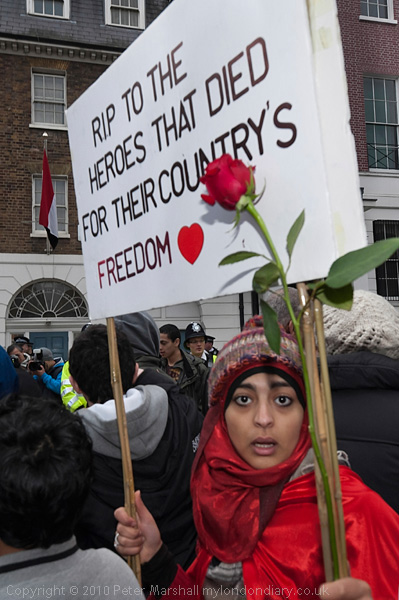
I’d taken quite a few pictures of her before this, starting with one when I glimpsed her on the edge of the crowd, but she had immediately turned around and walked away to the barriers at the front of the protest. I’d followed her to take some more pictures, but half a dozen other photographers were crowding around there photographing her, and although I took several, I wasn’t sure that I had what I wanted. I went away and took some more pictures, then came back and said to her that I would like to take her picture with the embassy in the background.  So this is, in a way a posed, set up picture, though quite similar to that first image I made of her, which wasn’t quite as sharp as I would have liked:

© 2011, Peter Marshall

It was a picture I grabbed very quickly, and has suffered a little from camera shake. With the default sharpening I use in Lightroom it is definitely un-sharp, particularly when compared to the posed version above. But some careful sharpening  using Focalblade on the full-size jpeg has improved it greatly. (A new and apparently improved version Focalblade 2 is now available but I’ve not tried this.)

Egyptian Embassy Demonstration on My London Diary

Vodaphone Uncut

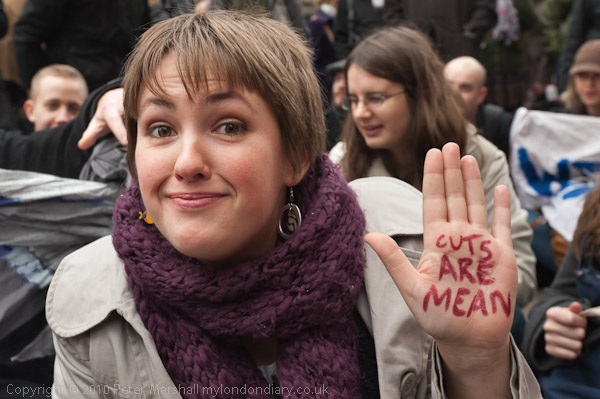
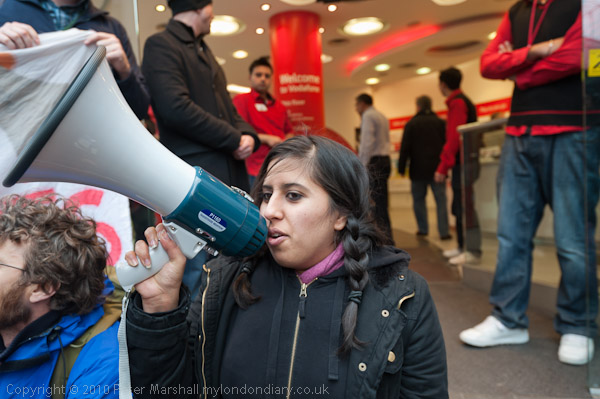
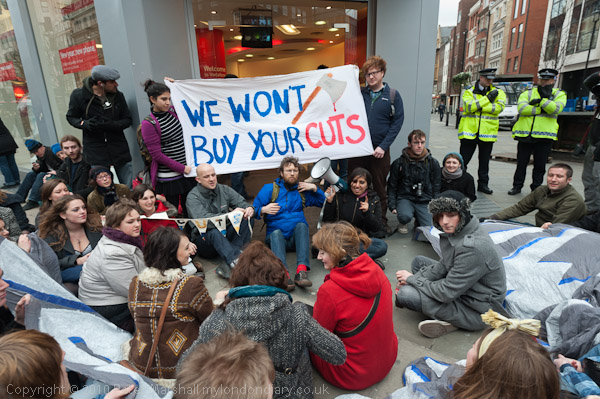
Quite often there doesn’t seem to be a lot to photograph at demonstrations, and the UKUncut demonstration outside Vodaphone in Oxford St over their avoidance of UK Tax was one case.  At the time it was due to start there were more photographers than protesters, with a few police standing around and a couple of security men in the shop doorway, with some slightly anxious-looking shop staff. It really was not promising.

Fortunately some more protesters arrived, and they sat down on the pavement in front of the shop, but it was still rather hard going to find anything other than the obvious.

© 2011, Peter Marshall

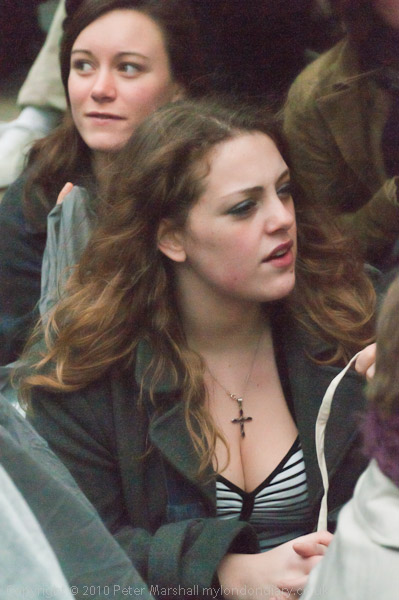
I saw (and photographed) this woman writing on her hand and then moved closer and photographed her. I took two frames without flash, but although they were ok, felt I needed to make her stand out a little more – so this has just a little flash to help.

© 2011, Peter Marshall

This was another picture that almost worked, but I find the hands at top left and the head at bottom right too distracting. But it was the best I could manage, although I took quite a few frames trying to get what I wanted.

Of course I always try to take some images that give a more overall view of the situation, even though these are often rather ordinary pictures.

© 2011, Peter Marshall

At one point on the D300 I switched to manual to get more precise control over a particular image, and then forgot to switch back. It probably wouldn’t have mattered much, but I think sometimes cameras have minds of their own, and the D300 decided that since I’ve never taken a picture at its fastest shutter speed of 1/8000 it would take this as an opportunity to try.

I don’t like to ‘chimp’ while I’m working unless I have a very specific need to do so, as otherwise it interrupts my flow, so by the time I noticed what the wretched camera had been up to I had probably around 30 images taken at about 5 stops under. Or to put it another way, exposed for something like ISO12,800 or 25,600. Most had just a very dim image and I deleted them immediately, but there were one or two I decided might be worth keeping and trying to rescue in Lightroom. Here is one of them:

© 2011, Peter Marshall

Even with fairly heavy noise reduction quite a lot of colour noise remains and it has a very washed out look – which might go down well in a fashion magazine but isn’t really my kind of thing. But the surprising thing is that it exists at all.

It wasn’t a great calamity, as I was mainly working on the D700, using the 16-35mm lens, and just taking a few images – such as this one – with the D300 and the 18-125mm. I found something was severely wrong when I tried to take a few pictures with an even longer lens and couldn’t get anything to work, though it took me a little while to work out why.

You can read more about the protest and see more pictures in UK Uncut Protest VAT Rise at Vodaphone on My London Diary.

Dancing at the Bank

© 2011, Peter Marshall

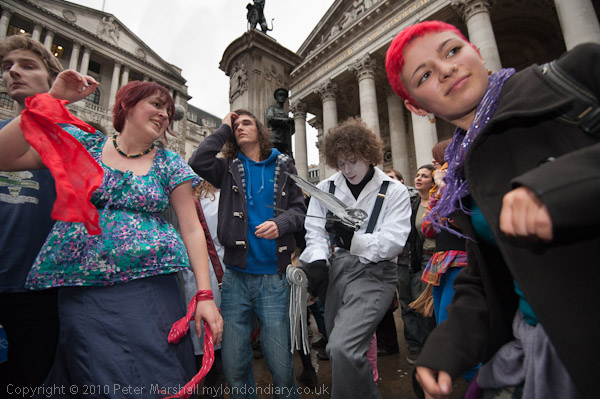
Last Friday I was at Bank at lunchtime, along with perhaps 80 demonstrators and what seemed like at least as many photographers and videographers.  It perhaps attracted so many cameras because it was really the first well-publicised event against the cuts and the fees rise since students came back after the Christmas break, or perhaps it was because it was a demonstration particularly by those involved in the arts and so would have been well publicised in all the art colleges. Of course everyone has a right to come and take photos, but it does make working a little more difficult, both as they get in your way and I try to keep – as much as possible – out of theirs.

Despite the murky weather with the occasional drop of rain it was a lively event. I started off working at ISO 1000 without flash, and using the Nikon 16-35mm there didn’t seem much reason to stop down below its maximum aperture of f4  – it’s sharp enough wide open and at 16mm you have pretty decent depth of field, while at 35mm you can certainly make fairly close subjects stand out a little against a slightly blurred background.

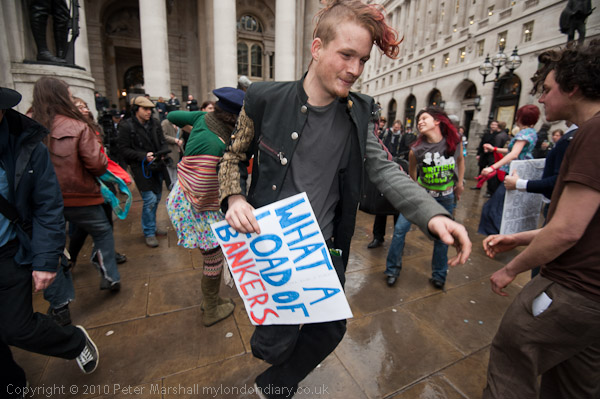
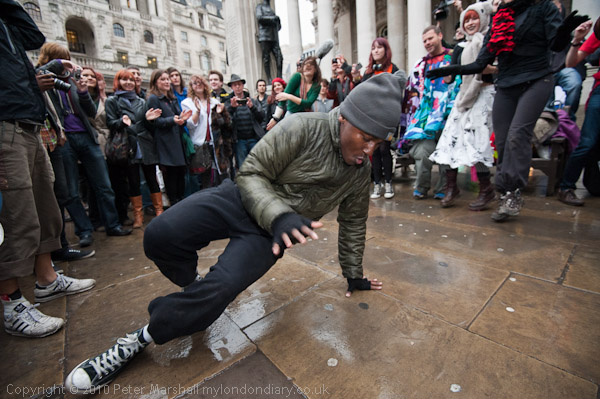
Once the dancing started I began to add some flash, as although I was getting a shutter speed of around 1/200 there can still be a little blur with close subjects, and the flash also brings the main subject out just a little.

© 2011, Peter Marshall
ISO 1000 1/160 f4, balanced flash fill, 16mm

Once the break dancing started, I decided I needed a faster shutter speed and increased the ISO to 1600:

© 2011, Peter Marshall
ISO 1600 1/320 f4, balanced flash fill, 16mm

© 2011, Peter Marshall
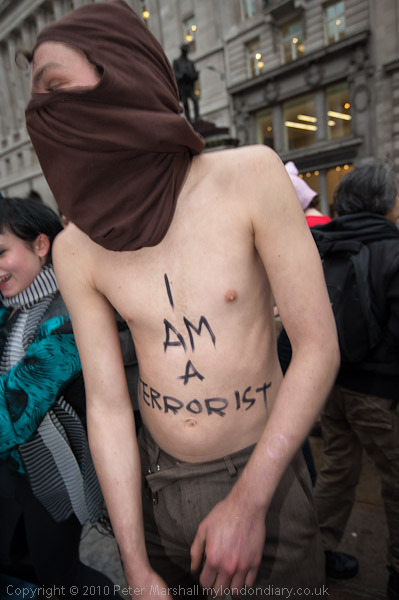
ISO 1600 1/200 f4, balanced flash fill, 23mm

Without the flash, this ‘terrorist’s’ head would have been too blurred as he was dancing pretty energetically – you can see the slight double exposure effect there, while his torso was moving less rapidly and has remained sharp. I think the blur adds to the image, but it needs the sharpness of the flash exposure too.

The shutter speed changed a little frame to frame, as I was working using aperture priority auto-exposure.  It might have been better to switch to manual exposure, as the lighting was pretty constant over the area, and the shutter speed changes probably just reflect the amount of sky in the image. But I prefer to work on auto when covering events, as I seldom have time to think about exposures, and if for some reason the light does change can get images that are too far over or under-exposed.  All of the pictures I took were more or less correctly exposed – well within the limits of simple adjusted in processing the RAW files. If I was taking pictures of landscape or some other subjects where I would always have time to think I’d stick to manual and work to get the exposures spot on (probably using spot metering too) every time.  For photographing events I normally stick to matrix metering.

When using flash, the camera metering system doesn’t seem to compensate for the extra light, so most of these pictures are taken with exposure compensation on both camera and flash at -1/3 or -2/3 stop to avoid burning out the highlights.

Almost all of the time I also use autofocus, and with rapidly moving events like this that usually means the continuous servo autofocus (C) mode that will attempt to track a moving object.  The D700 (and other Nikons including the D300) has three autofocus area modes, and I often find myself switching between these while taking pictures. Probably the most useful is the Dynamic Area AF, where you select the focus point (I normally use 51 points) but when things get very hectic I sometimes switch to auto-area and let the camera decide.  The danger in using it is that it may focus on close foreground which you would happily leave blurred. But if you use autofocus on a selected area, it is all too easy for that area to be the background when you are working rapidly.

Back in the old days of range-finder cameras with manual focus when I was working on film I would always rely on ‘zone focus’  – setting focus and aperture perhaps so that depth of field covered everything from 5-8 foot. Occasionally I still do so, though it’s less convenient with zoom lenses and no (or inadequate) depth of field scales, as once set, it is faster than the best autofocus!

You can see more pictures from this event – and read more about it –  at Dance Against The Deficit Lies on My London Diary.